
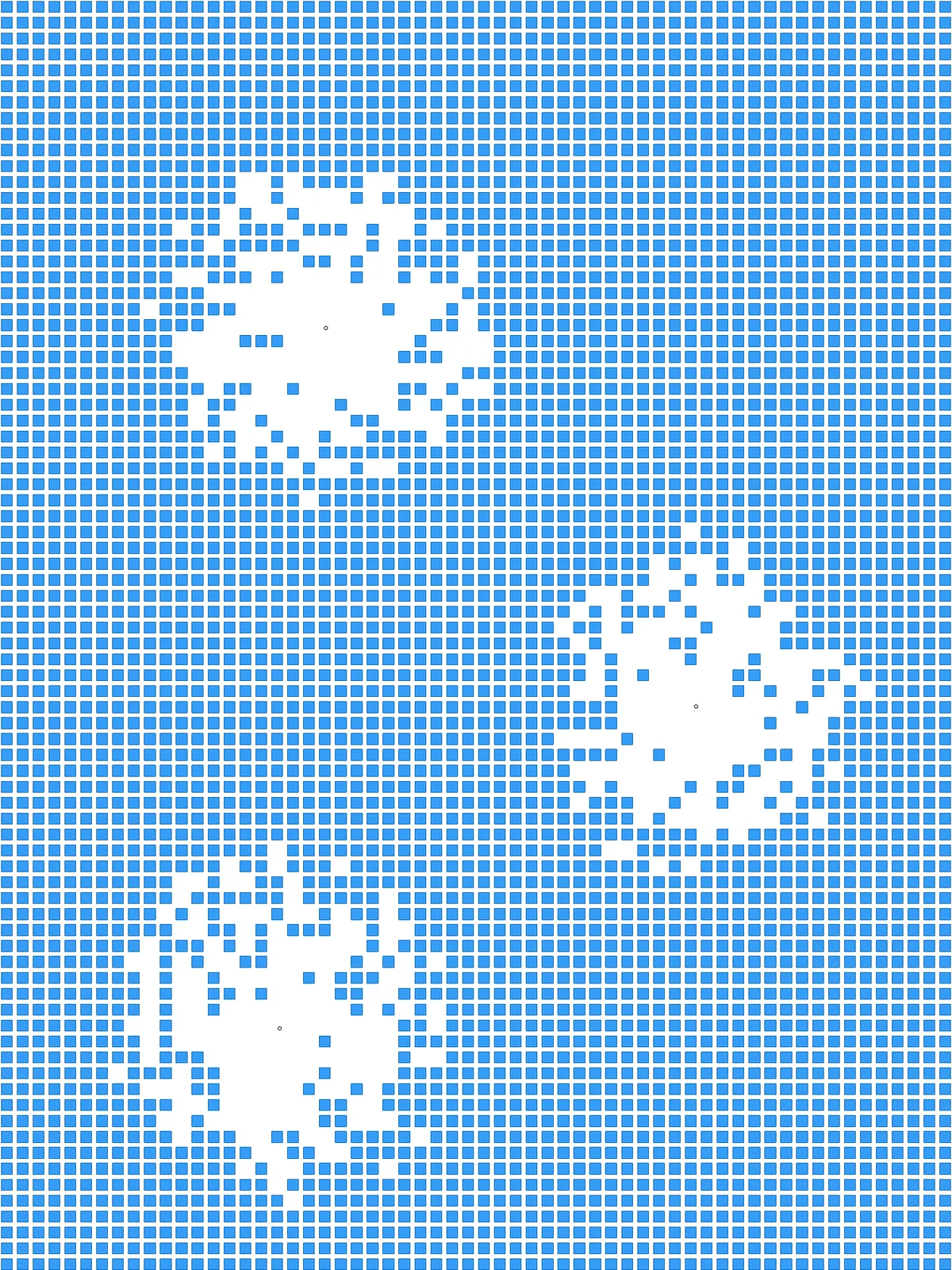
Inputs
Reference in Rhino
Surface
The surface the square grid is built on. It must be a planar (flat) surface.
Point
One or more points where the clearings open up. Place them on or close to the surface.
Main Sliders
Also try: change the seed (S) of Jitter for a different ragged edge with the same settings.
Notes
- All the clearings are about the same size. The squares are removed by their distance to the nearest point, with one shared limit. Adding points spreads the same number of removed squares over more, smaller clearings.
- You get two sets of squares. The two
Surfaceparameters at the end hold the remaining squares and the removed ones, so you can bake either set or both. - Keep Columns and Rows in proportion to your surface so the cells stay square. For a tall surface, use more rows than columns.
Design Logic
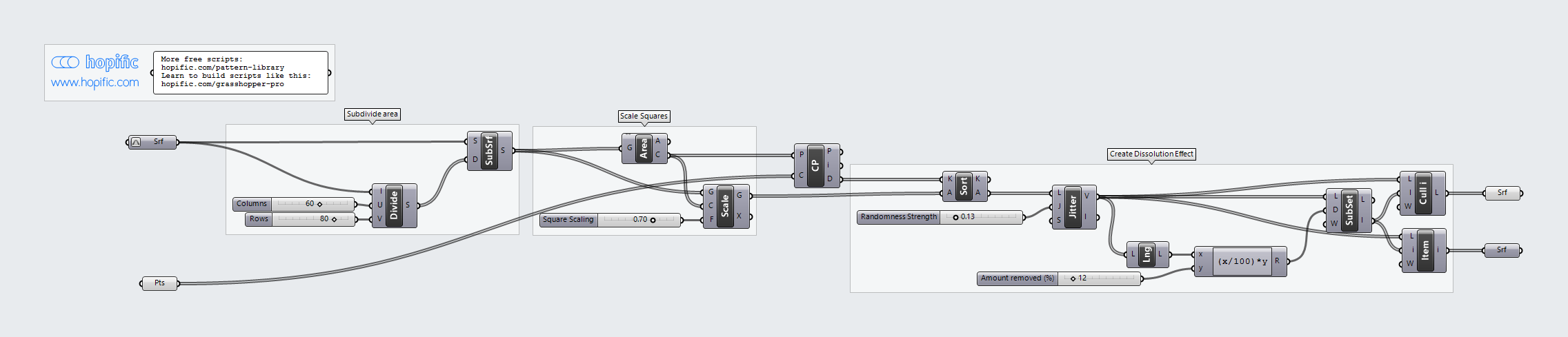
How the script builds the pattern, step by step.
| Step | How the script does it |
|---|---|
| 1. Split the surface into cells | Divide Domain² and Isotrim cut the surface into a grid of small cells. |
| 2. Shrink each cell into a square | Area finds the centre of each cell and Scale shrinks the cell around it by Square Scaling, leaving a gap between neighbours. |
| 3. Measure each square’s distance to the points | Closest Point finds the nearest of your points for each square and measures how far away it is. |
| 4. Sort the squares, then shuffle a little | Sort List puts the squares in order, closest first. Jitter moves each square a random distance up or down the list, by up to the Randomness Strength setting. |
| 5. Remove the closest squares | List Length and an Expression turn Amount removed (%) into a number of squares. Sub List picks that many from the start of the list. List Item collects them as the removed squares and Cull Index keeps all the others. |
Want to learn how to build scripts like this on your own? Check out the Grasshopper Pro course.