
Inputs
Reference in Rhino
Surface
The surface the louvers are built on. It must be a planar (flat) surface.
Curve
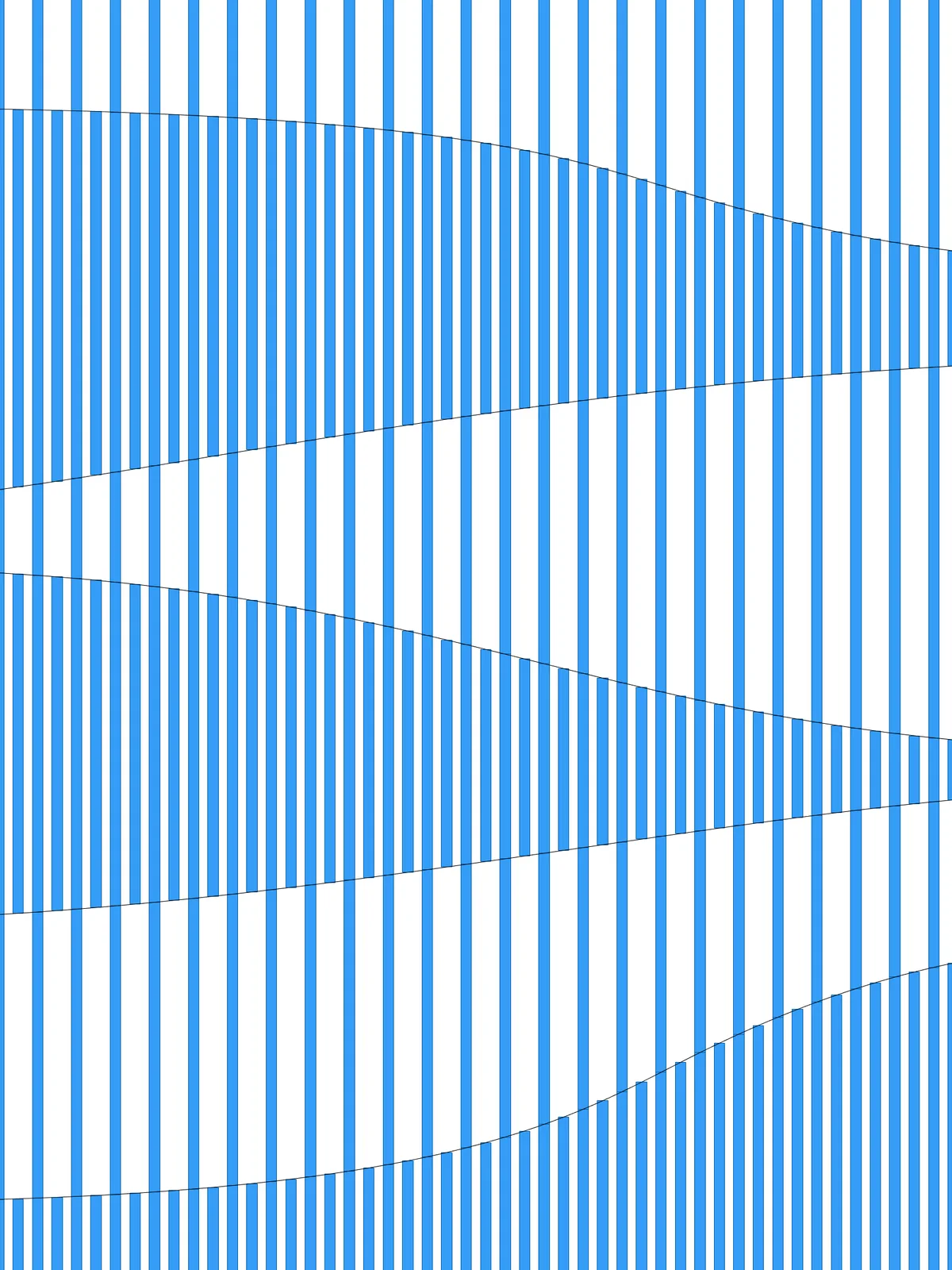
One or more curves that split the surface into bands. They must lie on the surface and cut through its entire length, running across the louvers.
Main Sliders
Also try: in the group that thins out every second band, connect the other Tree Branch in place of the one in use, so the other set of bands becomes the dense one.
Notes
- Let every curve cross the whole surface, across the direction of the louvers, and keep it on the surface. A curve that stops short won’t split the surface into separate bands.
- The bands alternate between full and half density. Every second band keeps all its louvers; the others drop every other louver. Add more curves for more, narrower bands, or use wavy curves for bands that meander.
- The louvers never get thicker. The change in density comes only from leaving louvers out, so the louvers in the dense bands set the narrowest gap.
- Balance Divisions and Element Thickness. If the louvers are wider than the spacing between them, they merge into a solid band where all of them are kept.
Design Logic
How the script builds the pattern, step by step.

| Step | How the script does it |
|---|---|
| 1. Draw the louver lines | Divide Surface makes rows of points across the surface, and Nurbs Curve joins each row into a straight line. Each line becomes one louver. |
| 2. Split the surface into bands and put them in order | Surface Split cuts the surface along your curves. Flip Matrix, List Item and Line draw a line along one edge, across the louvers. Area finds the centre of each band, Curve Closest Point measures how far it is from that edge, and Sort List puts the bands in order from that edge. |
| 3. Cut the louvers where the curves cross them | Multiple Curves finds every crossing between the louver lines and your curves. Curve Closest Point and an Expression check which crossings lie on each louver, Cull Pattern keeps those, and Shatter cuts the louver there. |
| 4. Sort the pieces into their bands | Curve Middle finds the middle of each piece. Point In Curve tests which band it falls in, and Cull Pattern keeps one list of pieces per band. |
| 5. Thin out every second band | A Dispatch splits the louvers in each band into two alternating sets. The first set is kept everywhere. Tree Statistics, a second Dispatch and Tree Branch keep the second set only in every other band, so those bands stay dense and the rest get half the louvers. |
| 6. Give the louvers their width | Evaluate Surface gives the plane of the surface. Two Offset Curve components move each piece by half of Element Thickness to either side. End Points and Line close the ends, and Join Curves joins the four sides into an outline that becomes a flat surface. |
Want to learn how to build scripts like this on your own? Check out the Grasshopper Pro course.