
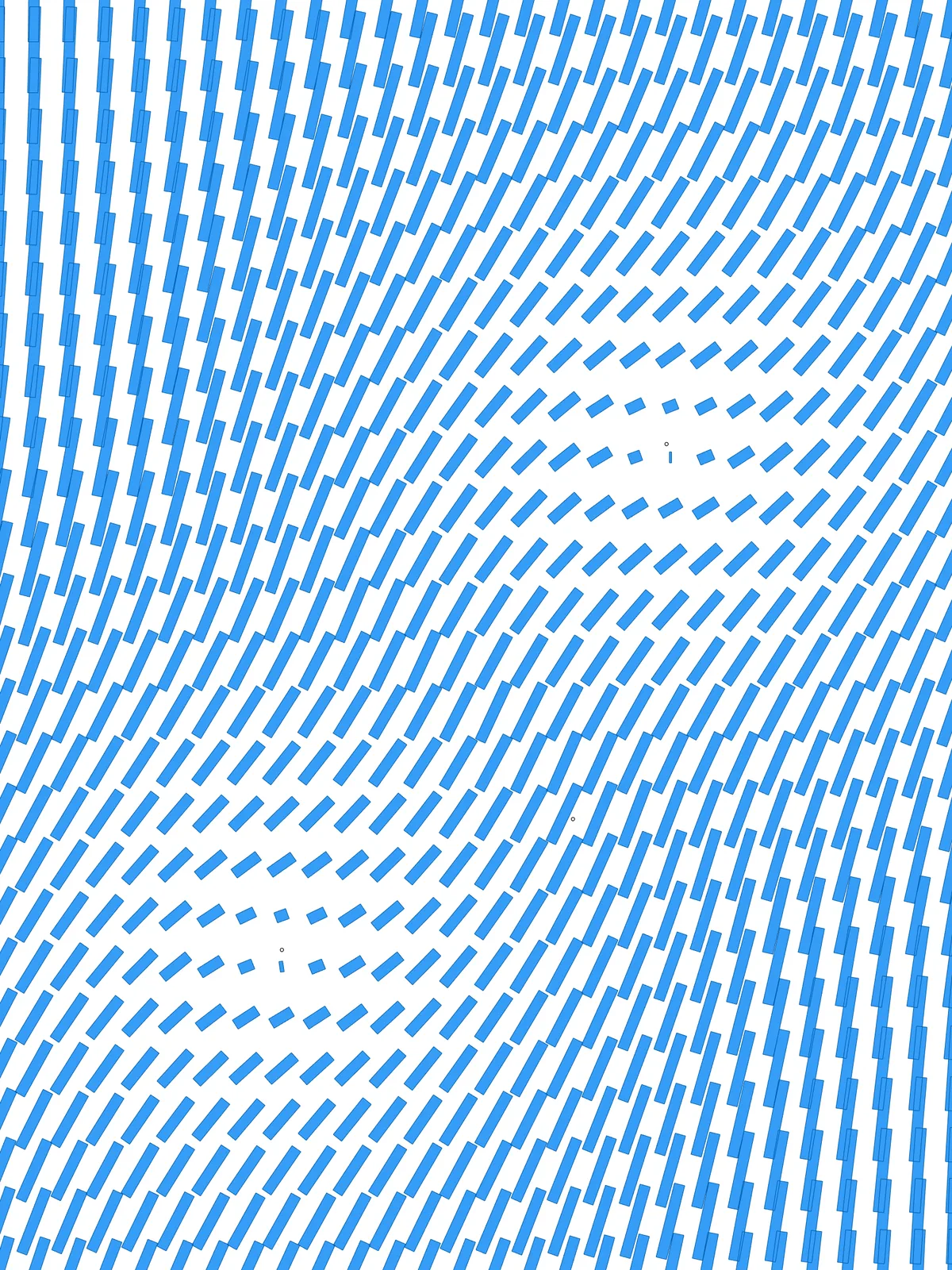
Inputs
Reference in Rhino
Surface
The surface the dashes are placed on. It must be a planar (flat) surface.
Point
The attractor points the dashes turn around. Use one or more, on or near the surface.
Main Sliders
Also try: reshape the two Graph Mapper components to change how quickly the dashes grow and turn as you move away from the points.
Notes
- Each dash follows its nearest point. Add more points for more centres; the dashes between them respond to whichever point is closest.
- Min. Length and Max. Length are real distances, not percentages. Scale them to the size of your surface, or the dashes will be far too small or overlap.
- The dashes can overlap. They turn, so a long dash can reach toward a neighbour in any direction. To keep them apart, keep the longest dashes shorter than the spacing between grid points.
- Swap Min. Rotation and Max. Rotation to turn the dashes most near the points instead of far from them.
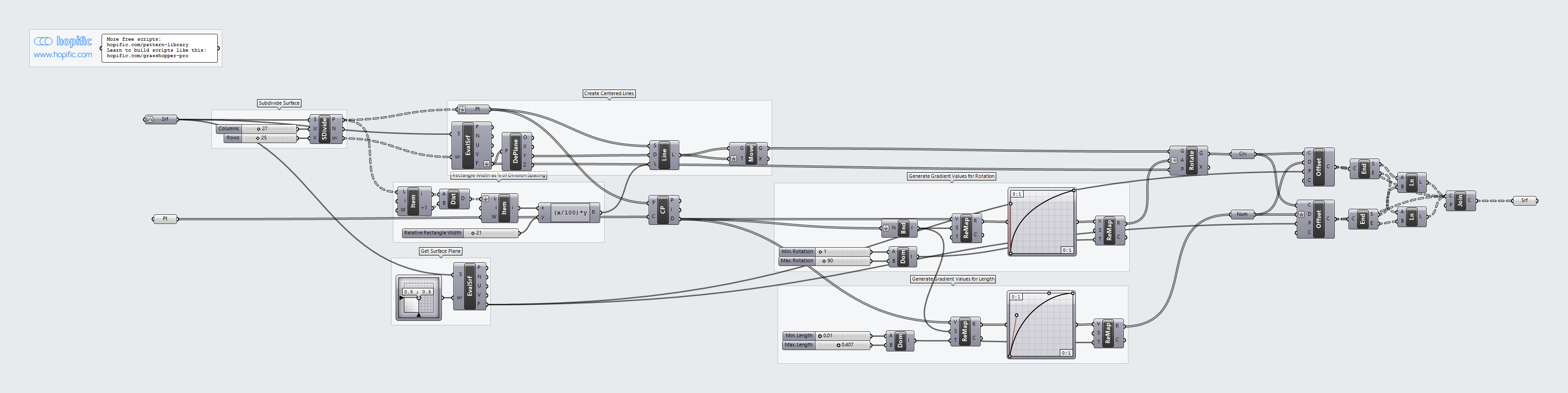
Design Logic
How the script builds the pattern, step by step.
| Step | How the script does it |
|---|---|
| 1. Make a grid of points | Divide Surface places a grid of points on the surface, Columns across and Rows along. List Item and Distance measure the spacing between two neighbouring points. |
| 2. Draw a short line at every point | An Expression takes Relative Rectangle Width as a percentage of the spacing. Evaluate Surface and Deconstruct Plane give the surface’s direction at each point, Line SDL draws a line of that length, and Move centres it on the point. |
| 3. Measure each point’s distance to the attractors | Closest Point finds the nearest attractor point and its distance. Bounds and Remap Numbers turn those distances into values from 0 to 1. |
| 4. Turn distance into angle and length | Two Graph Mapper components shape the gradient. Remap Numbers maps one between Min. Rotation and Max. Rotation, and the other between Min. Length and Max. Length. |
| 5. Turn the lines | Rotate turns each line around its own centre by its angle, in degrees. |
| 6. Stretch the lines into dashes | Offset Curve copies each line to both sides by its length value. End Points, Line and Join Curves close the two copies into a rectangle, and a Surface parameter turns it into a flat surface. |
Want to learn how to build scripts like this on your own? Check out the Grasshopper Pro course.