
Inputs
Reference in Rhino
Surface
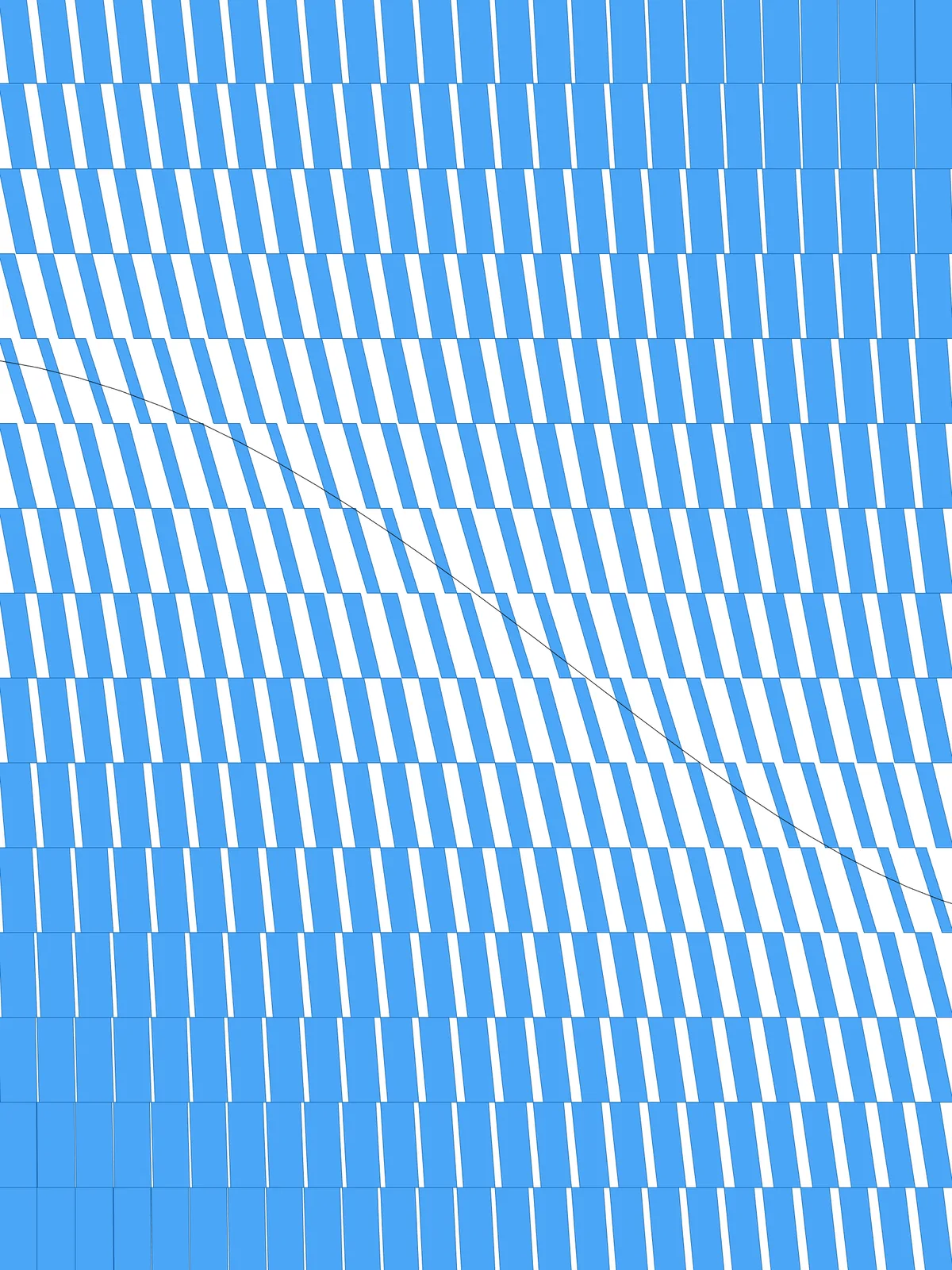
The surface the panels are built on. It must be a planar (flat) surface. The script expects it to lie in the XY plane, with its height running along Y.
Curve
The attractor. Panels close to it are distorted the most; panels far from it stay rectangular.
Main Sliders
Also try: reshape the Graph Mapper to change how quickly the distortion fades as you move away from the curve.
Notes
- If your surface isn’t in the XY plane, adjust the sorting axis. The script finds the top and bottom edge of each panel by sorting the edges by their Y position. For a surface standing up in the XZ plane, connect the Z output of
DeconstructtoSort Listinstead of Y. - The panels never overlap. Each panel only loses part of its top and bottom edge, so near the curve it gets thinner and triangular gaps open up between neighbours. At high values of % of panel width the panels become thin slanted strips.
- The curve doesn’t have to touch the surface. Distance is measured from the centre of each panel, so a curve beside the panel pushes the strongest distortion to that edge.
Design Logic
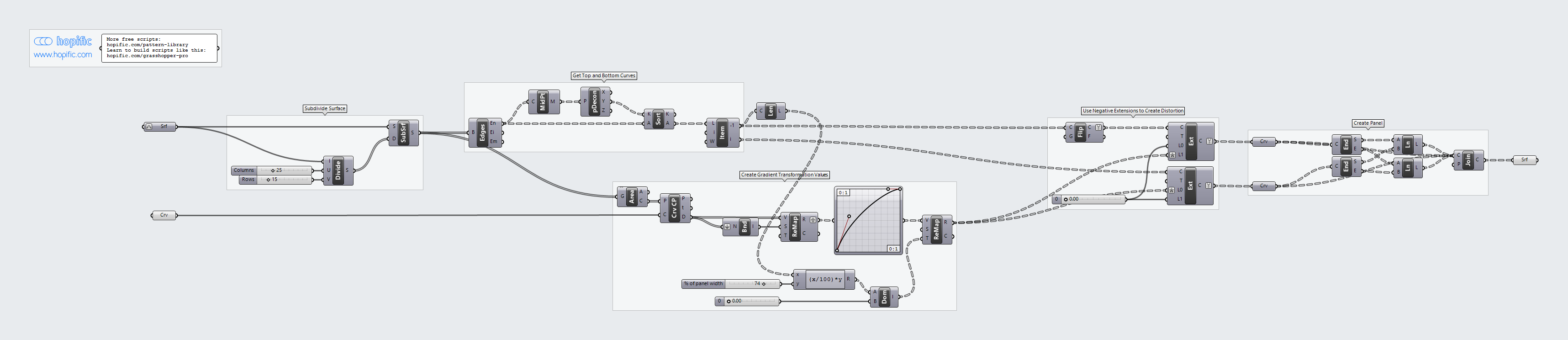
How the script builds the pattern, step by step.
| Step | How the script does it |
|---|---|
| 1. Split the surface into panels | Divide Domain² and Isotrim cut the surface into a grid of small rectangles. Each rectangle becomes one panel. |
| 2. Find the top and bottom edge of each panel | Brep Edges takes the four edges of each panel. Curve Middle and Deconstruct read the Y position of each edge’s midpoint, Sort List orders the edges by it, and List Item picks the lowest and the highest one. |
| 3. Measure each panel’s distance to your curve | Area finds the centre of each panel and Curve Closest Point measures how far it is from the curve. Bounds and Remap Numbers turn those distances into values from 0 to 1. |
| 4. Turn distance into an amount of cut-back | A Graph Mapper shapes the gradient. Length and an Expression work out % of panel width as a length, and Construct Domain with Remap Numbers maps the gradient from that length at the curve down to nothing far from it. |
| 5. Shorten the top and bottom edges on opposite sides | Flip Curve turns the top edge around. Two Extend Curve components then extend the edges by a negative amount (the value from step 4 with a minus sign), which shortens them: the bottom edge at one end and the top edge at the other. The top and bottom no longer line up, so the panel leans. |
| 6. Close the distorted panel | End Points and two Line components connect the ends of the two shortened edges. Join Curves joins the four sides into a closed outline, which is turned into a surface. |
Want to learn how to build scripts like this on your own? Check out the Grasshopper Pro course.