
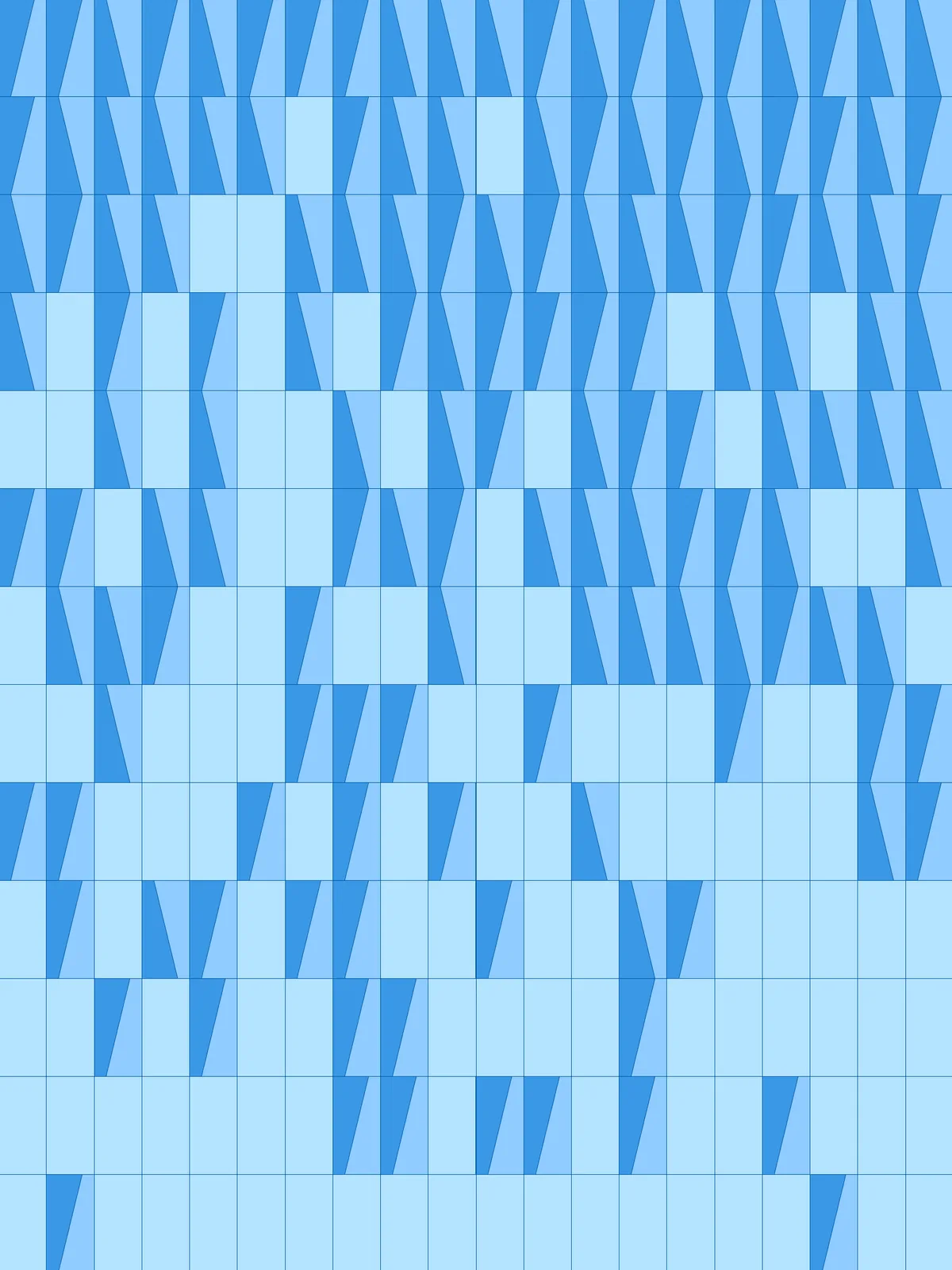
Inputs
Reference in Rhino
Surface
The surface that is split into panels. It must be a planar (flat) surface.
Curve
The curve the whole, uncut panels gather around. Panels further away get the slanted cuts.
Main Sliders
Also try: change the seed (S) of the Jitter component for a different scatter of whole and cut panels.
Notes
- The three tones are a preview only. The script shows whole panels and the two pieces of each cut panel in three colours with
Custom Preview. Bake each of the three separately to put each tone on its own layer. - The cuts run in two mirrored directions. The cut panels are split into two halves in their shuffled order, and one half gets its cut mirrored, so both directions mix across the surface.
Design Logic
How the script builds the pattern, step by step.

| Step | How the script does it |
|---|---|
| 1. Split the surface into panels | Divide Domain² and Isotrim cut the surface into a grid of rectangles, Columns across and Rows along. |
| 2. Keep the panels near the curve whole | Area finds the centre of each panel and Curve Closest Point measures its distance to the curve. Sort List orders the panels from near to far, and Jitter shuffles that order by Randomness Strength. Sub List takes the first Whole Panels %; List Item sends them to the preview and Cull Index passes the rest on. |
| 3. Flip half of the remaining panels | List Length and Sub List split the remaining panels into two halves. Flip Curve reverses the outline of the second half, and Merge brings both halves back together. |
| 4. Draw a slanted cut across each panel | Explode breaks each outline into its four sides. Length and Sort List find the two shortest, and Evaluate Curve places a point at Cut Position along each. Line joins the two points. Because the outline runs in a loop, the points sit at opposite ends and the line runs at a slant, mirrored on the flipped panels. |
| 5. Split the panels into two tones | Surface Split cuts each panel along its line. Dispatch separates the two pieces, and three Custom Preview components colour the whole panels and the two sets of pieces. |
Want to learn how to build scripts like this on your own? Check out the Grasshopper Pro course.