"After a decade of failed attempts, this is the first course that finally made Grasshopper click."

Skirmantas Simniškis | Architect at Gensler
Most Grasshopper courses teach you components. Grasshopper Pro teaches you how to think. Learn to build your own scripts in 4 weeks and start using them on real projects.
$197 one-time · lifetime access · 30-day refund

Trusted by designers at the world’s most respected firms:






You watch a tutorial, follow it step by step… and for a moment it feels like you’ve cracked it.
Then you try to apply it to your project—and everything breaks.
And it’s not because you’re not technical. It’s because most resources teach recipes, not the logic you need for real projects.
Does this sound familiar?
The “Copy-Paste” Ceiling: You can tweak other people’s scripts, but you can’t build your own from scratch.
The Data Tree Nightmare: You hit a wall every time the data structures get complex. You know what you want to do, but the logic just won’t click.
No Time to Learn: You’re a busy professional or student. You don’t have time or the energy to sift through scattered, unstructured content.
The “Orthogonal Box” Trap: You have incredible, organic forms in your head, but you end up designing what you can model manually in Rhino, not what you want to create.
- The AI Trap: You’ve seen the plugins that generate scripts instantly. But when the geometry breaks, the data tree flattens, or the pattern fails at the corner — you’re stuck. Because you never learned the logic underneath.
And that’s the part that really stings…
You can see what Grasshopper could do for your workflow… but without a clear path, it stays this “someday” skill—while the computational folks keep getting the fun designs.
- Turn a 4-hour façade tweak into a 20-second parametric adjustment — and know exactly why it works.
- Generate 10–50 design options in the time you used to do one — without a single ‘spaghetti’ definition you’re afraid to touch.
- Deliver a world-class design built from a script you wrote yourself — and have the office ask: ‘Wait… you did that?’
- Get your evenings back. Because when you understand the logic, Grasshopper works for you — not the other way around.
I learned Grasshopper the hard way — piecing together scattered tutorials, hitting walls, and rebuilding the same logic from scratch. That’s why I built Grasshopper Pro: a complete, coherent system that respects your time and teaches you the ‘why’ behind every action. No fluff. No outdated plugins. Just the fundamentals that actually matter in professional practice.

Thomas Jeremy Tait 10 year Computational Designer at Snøhetta

Grasshopper Pro
A logic-first, self-paced system that teaches you to design, build, and troubleshoot your own Grasshopper definitions — so you can apply parametric thinking to real architecture projects without relying on copy-paste tutorials or tools you don’t understand.
If you want a complete, coherent system, and a course you finish — and actually use, Grasshopper Pro is the right decision.
By the end of Grasshopper Pro, you’ll be able to…
- Turn sketches into parametric systems (Design → Logic → Grasshopper) instead of connecting components and hoping for the best
- Create gradients, attractors, and random fields without guesswork — and use them intentionally for design decisions
- Build a reusable façade variation tool (swap inputs, generate options, stay in control)
- Debug and fix broken definitions — and be able to handle data trees and list matching without guesswork
- Read and edit AI-generated scripts with confidence — because you understand data trees, list matching, and geometric logic.
- Work faster with fewer components because you understand the logic behind Grasshopper, not just the steps
If you can already tweak other people’s scripts but struggle to create your own — this is the missing bridge.
The Step-by-Step Learning Path to Mastering Grasshopper
Grasshopper Pro guides you step-by-step to make learning Grasshopper as effective as possible. I’ll show you exactly how to conceive, develop and finalize scripts using the Design → Logic → Grasshopper principle. Based on examples used in real, professional architecture practice.
The course is structured in 4 modules. Each module builds on the previous one and contains assignments so you can turn what you’ve learned into practice right away and solidify your learnings.
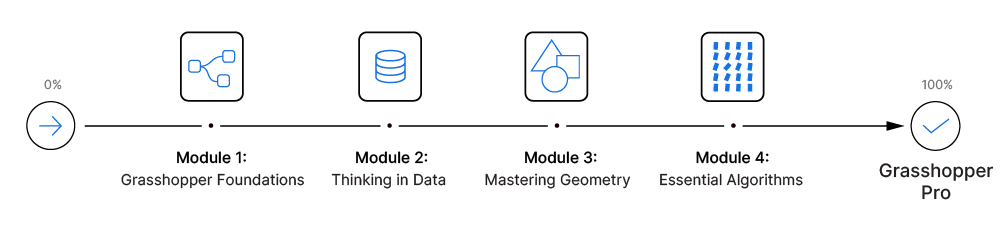

Module 1: Grasshopper Foundations
(~1.5 hours)
In the first module we’ll learn about all the essential concepts we need to know before we can start building our script.
We’ll learn about the core principles of visual programming, how Grasshopper differs from Rhino and how to approach a design problem in Grasshopper. We’ll look at the interface and learn the best ways to find, add and connect components.
In this module we'll cover:
- How to place, connect, organize components in the most effective way
- Essential concepts of visual programming
- The Panel, the Expression Editor and the Number Slider
- How the Grasshopper preview works and how we can control it
- The process of developing a Grasshopper script from idea to logic
- Using number series to modify multiple components
- You’ll build your first script on your own

Module 2: Thinking in Data
(~2 hours)
When it comes to Grasshopper, knowing how to manage data structures is key. In this module we’ll take a deep-dive into data structures and explain each concept in an easy-to-understand way. Data structures are at the core of Grasshopper and mastering them will pave the way for everything else we are going to learn.
We’ll learn how to read and interpret the contents and data structure of Grasshopper components, how to make object selections and how to match data from several data streams. By the end of this module you will have mastered data structures and data management and be well on your way to become a Grasshopper professional.
In this module we'll cover:
- How Grasshopper stores, and manages data
- Lists in Grasshopper and how to access items within the list
- How to use Cull Patterns to process items within a list
- How to visualize object indices for selection
- Data trees (lists of lists) and why we need them
- How we can modify data structures (Flatten, Simplify, Trim and Graft)
- The principles of data matching and interpreting data paths
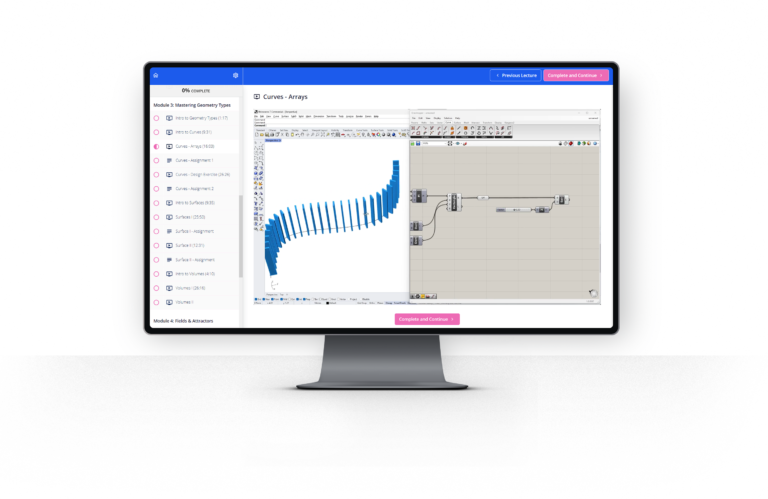
Module 3: Mastering Geometry
(~2 hours)
Everything we create in Grasshopper will in some form contain these three main geometry types. And the better we understand their properties the more control we’ll have when using them. In this module we’ll be learning everything we need to know about the three main geometry types: Curves, Surfaces and Volumes.
We’ll learn how Rhino defines each of these core geometries and how to create, modify and evaluate them.
After completing this module you’ll be able to confidently generate any form using these main geometry building blocks.
In this module we'll cover:
- Curves – all geometric properties
- How to evaluate curves and use curve tangents to orient objects
- Subdividing curves in regular, repeating and random ways
- How to use curve subdivision as core logic for facade design
- Surfaces- all geometric properties
- How to evaluate surfaces and use surface normals to orient objects
- Using the normal direction of surfaces to add thickness to elements
- How to create a manual contour command to keep full control over the spacing
- Dividing surfaces and using the relative item approach to create space frames
- Volumes (Breps) – all geometric properties
- Using curve region operations to generate surfaces
- How to calculate the GFA of multiple volumes using closed volume contours
- How to create a pixelated volume effect using Brep containment processing
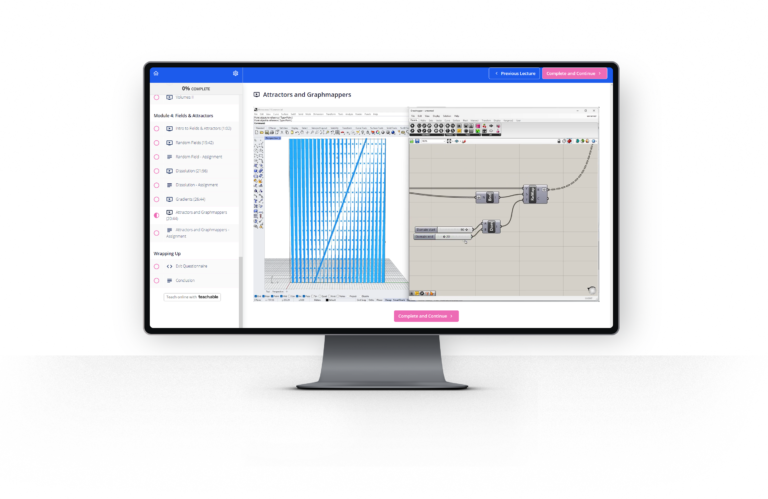
Module 4: Essential Algorithms
(~1.5 hours)
In this module we’ll learn about the key algorithms that can help us generate elegant and sophisticated architectural effects.
We’ll be learning how to create field effects and gradients, how to deal with attractors and generate dissolution effects. Most high-end architecture projects use at least one of these algorithms in their designs. These algorithms are extremely versatile and can be applied and layered in an infinite number of ways to create complex and compelling patterns.
In this module we'll cover:
- The key elements of field effects
- How to introduce randomness in designs
- How to control randomness with domains and seeds
- Generating a dissolution effect using Jitter and List Subsets
- Creating gradient effects by remapping numbers from different domains
- Using attractor geometries to inform gradient effects
- How to control gradient fall-offs with the Graphmapper
Included in the course:
- Real-world architectural use cases Learn the practical techniques used daily in world-class offices.
- Ultimate Keyboard Shortcut Cheat Sheet Get all the keyboard shortcuts in one handy, print-ready page.
- Exercises to speed up the learning process Transform your learnings into actionable skills by applying the learned concepts and techniques.
- Lifetime Access You get lifetime access to the course material so you can revisit any part of the course anytime.
- Updates Included You'll get access to any future updates and additional content
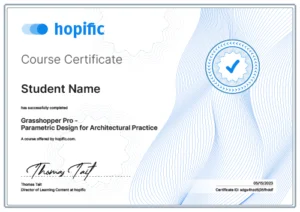
Grasshopper Pro™
Certification
Earn a certificate upon course completion, a valuable addition to your resume or LinkedIn profile, showcasing your commitment and expertise.
Grasshopper Pro by the numbers
71%
+50%
97%
Choose your enrollment option
One-time payment. No subscription. No recurring fees. Learn it once, use it forever.

Grasshopper Pro
The complete Grasshopper Pro course
$197
- Complete, structured, step-by-step training
- The Design → Logic → Grasshopper Method
- Lifetime Access & Free Updates
- Exercises to lock in the fundamentals
- Grasshopper Pro Certification upon completion
Or 6 monthly payments of $39 (total $234).
Bundle and save $47!
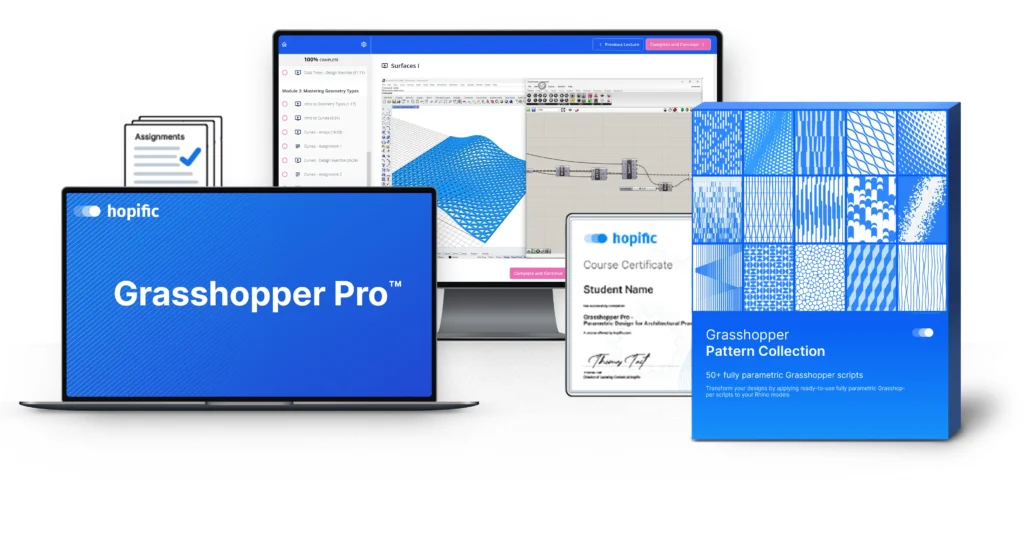
Grasshopper Pro Bundle
The course + the Parametric Pattern Collection
$297
- Complete, structured, step-by-step training
- The Design → Logic → Grasshopper Method
- Lifetime Access & Free Updates
- Exercises to lock in the fundamentals
- Grasshopper Pro Certification upon completion
-
Pattern Collection 50 ready-to-use scripts
$147$99
Or 6 monthly payments of $59 (total $354).
Secure Checkout

"What if I still don’t get it?" - Guarantee
Try the full program for 30 days. If you don’t feel like we’ve delivered what we’ve promised, email us within 30 days for a full refund — no forms, no questions.
(We can offer this because 97% of students who complete the course would recommend it)
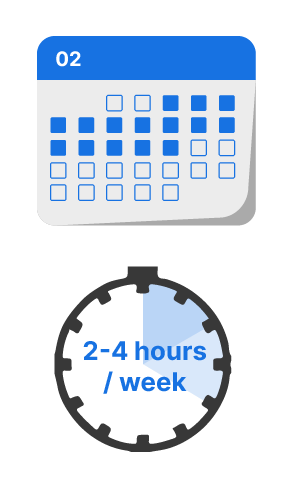
How long will it take?
Most students finish in 2–4 weeks at 2–4 hours per week.
But there is no rush — you have lifetime access.
This isn’t a “quick fix.” It’s a complete system. You finish it. You use it. You move on.
Three ways to learn Grasshopper.
| What matters | Free Tutorials · YouTube · AI | Subscription Libraries | Best choice Grasshopper Pro |
|---|---|---|---|
| Time to proficiency | 2–3 years, if ever | Open-ended — there's always another video | Weeks |
| What you learn | Recipes for someone else's project | A bit of everything — little sticks | One method: Design → Logic → Grasshopper |
| Do you finish? | The feed never ends | Endless by design | 7 hours · 4 modules · in order |
| When a script breaks | Copy, paste, pray | Hunt for another video | You understand it — so you fix it |
| When AI writes it | You can't tell if it's right | More videos won't debug it | You read it, fix it, direct it |
| If you get stuck | You're on your own | Community forums, if any | Ask me directly |
| Price | Free — paid in years of your time | From $200 a year, forever | $197 once · 30-day refund |
Who is this course for?
Great for:
Architectural designers who are new to Grasshopper and want a clear, structured path (not scattered tutorials)
People who can tweak other people’s scripts but struggle to build their own definitions from scratch
Anyone who keeps hitting the data tree / list matching wall and wants it to finally “click”
Designers who want to automate repetitive tasks and generate more options without working longer hours
Not for:
Anyone unfamiliar with Rhino — you should be comfortable with NURBS/solid modeling before starting
People looking mainly for advanced scripting (Python/C#), Kangaroo-heavy simulations, or plugin-specific pipelines
Experienced Grasshopper users who already build complex definitions daily (this course focuses on fundamentals)
- People who want a “magic button” or think AI has made Grasshopper obsolete. (It hasn’t. It just made understanding it mandatory.)

- 10+ years designing at Snøhetta
- 5,000+ professional hours in Grasshopper
- Authorized Rhino Trainer®
- 300+ architects trained
Who I am
Hi! I’m Thomas Jeremy Tait — Architect, 10-year Computational Designer at Snøhetta & Authorized Rhino Trainer®.
I’ve used Grasshopper almost daily while working at Snøhetta for 10 years and I know the techniques and components that actually make a difference in a professional architecture practice (and those to avoid). I packaged my knowledge into this training program to help other architects design better and more efficiently.

OR
you can follow a proven, 7-hour system, learn the logic once, and start building parametric designs with confidence in the next few weeks.
Think about where you want to be one month from now. Do you have a step-by-step plan to get there?
Yes,
You can do this even if you are busy!
"I'm already overworked, I don't have enough time to learn Grasshopper"
They say ‘if you want to get something done, ask a busy person’. Its not about how much time we have, it’s about time allocation: What do we do with our time? The course is split up into bite-sized lessons that can easily be integrated into a busy schedule.
Take control of your time and you’ll reap the rewards! It requires a small adjustment of priorities to set yourself up for success in the long run!
"I'm not a math person, it looks too difficult"
I remember when I was in your shoes, back when I didn’t know Grasshopper, it looked like a complicated software only geniuses are able to use. I learned Grasshopper the hard way and I know all the pitfalls and the concepts that most people struggle with – and I explain them all in easy-to-follow lessons – I’m an architect myself, so in the course I explain things in a way that makes sense to us architects! I broke down learning Grasshopper into small, easy learning blocks – it will feel easy all the way to the end, and you’ll look back and realize just how far you’ve come!
"The course is too expensive"
Compared to a $39/month subscription you’ll pay for 2 years and never finish? This is a one-time $197 investment that actually ends. And the people who feel it’s “too expensive” are usually the ones who get the most value — because they show up and do the work.
Created to just work.
A Proven Pathway to Mastery
This course started as a in-house training program within the Snøhetta offices. I’ve taught talented architects just like you how to bring their designs to the next level.
Seeing them succeed in using Grasshopper to create sophisticated designs on their own is why I decided to open this course up to the world.
It wasn’t an easy process: it took several rounds of feedback and of tracking the results to finally land on a curriculum that covered topics students were asking for, was both easy to absorb and as to-the-point as possible, after all we all have our projects to get back to!
The curriculum and teaching style in Grasshopper Pro is the result of several iterations, which is why I’m so confident it works!
What happens when I buy?
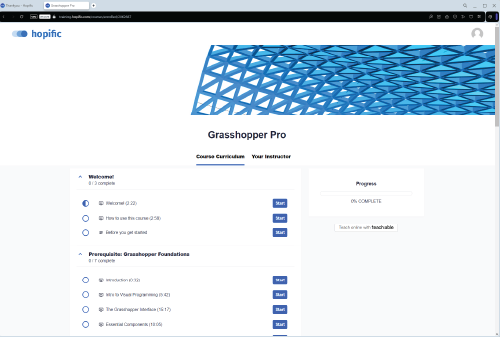
- Enroll in Grasshopper Pro™ and create your account.
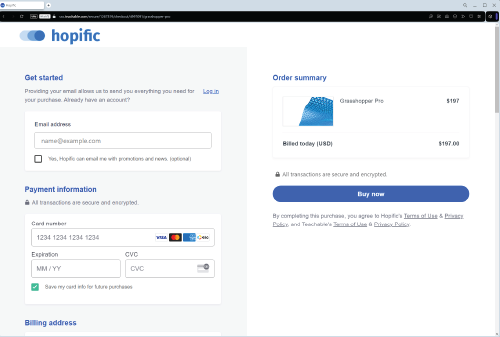
2. Log in and start Module 1 instantly.

3. Follow the plan: 5–15 min lessons, 1–2 hrs/week. Real progress in ~4 weeks.
Questions and Answers
What is the time commitment per week?
Students who spread out the lessons over the course of a few weeks have shown the best results.
If you can spend 1-2 hours each week following the lessons and working on the assignments you’ll complete the course in 4 weeks.
Are there any prerequisites?
You’ll need a copy of Rhino installed on your machine. Grasshopper ships with Rhino so you won’t need to install it separately.
To make the most of the course you should be familiar with Rhino, and ideally you are already designing with it. Rhino is not a hard software to learn, if you want to catch up, you can download a trial and learn the basics in 1-2 hours.
How long will I have access to the course material?
You will get lifetime access to the Grasshopper Pro curriculum and the learning platform. This includes any updates in the future!
When does the course begin and end?
Grasshopper Pro is a self-paced learning program. Once you purchase the course you’ll be able to start learning right away. You can learn at your own pace.
What kind of support do I get?
Each lesson in the course has Comments enabled, if you get stuck at any point, leave a comment and we’ll get back to you within 24h.
Are there any other material or equipment costs besides the enrollment cost of the course?
The only things you’ll need are an internet connection and a machine with Rhino. You can download the evaluation version of Rhino here and use it for 90 days. After that you won’t be able to save files or use plugins. It’s perfect for learning Rhino and Grasshopper.
There are no additional materials or equipment costs.
Does it work with Rhino 8 / Mac?
Yes. The entire course uses native Grasshopper components that ship with Rhino 7 and Rhino 8 on both Windows and macOS.
The videos are recorded on Windows, but the interface and components are effectively the same on Mac.
Can I get an invoice / enter a VAT number?
Yes. At checkout you can enter your company name, address, and VAT ID. You’ll automatically receive a tax invoice that includes your VAT number (EU VAT numbers are validated and handled with reverse charge where applicable).
With AI plugins available now, is learning Grasshopper still worth it?
Absolutely. AI can generate scripts, but it cannot debug them, optimize them for your specific geometry, or explain why your data tree is flattening unexpectedly. The architects who thrive in the next decade will be the ones who understand parametric logic — not the ones who outsource their thinking to a black box.
Will I actually be able to use Grasshopper after completing the course?
Here’s the data from our exit questionnaire:
- 71% rate their Grasshopper skills as intermediate or advanced upon completion
- 97% would recommend this course to a friend
Any more questions? Reach out to: thomas+questions@hopific.com
Ready to start building?
- Complete, structured, step-by-step training
- The Design → Logic → Grasshopper Method
- Lifetime Access & Free Updates
- Exercises to lock in the fundamentals
- Grasshopper Pro Certification upon completion
- 30‑day, no‑questions refund
Lifetime Access • 30-day guarantee
Have a question before you enroll? Email thomas+questions@hopific.com — I usually reply within 24 hours.