
Inputs
Reference in Rhino
Surface
The surface the tiles are built on. It must be a planar (flat) surface.
Main Sliders
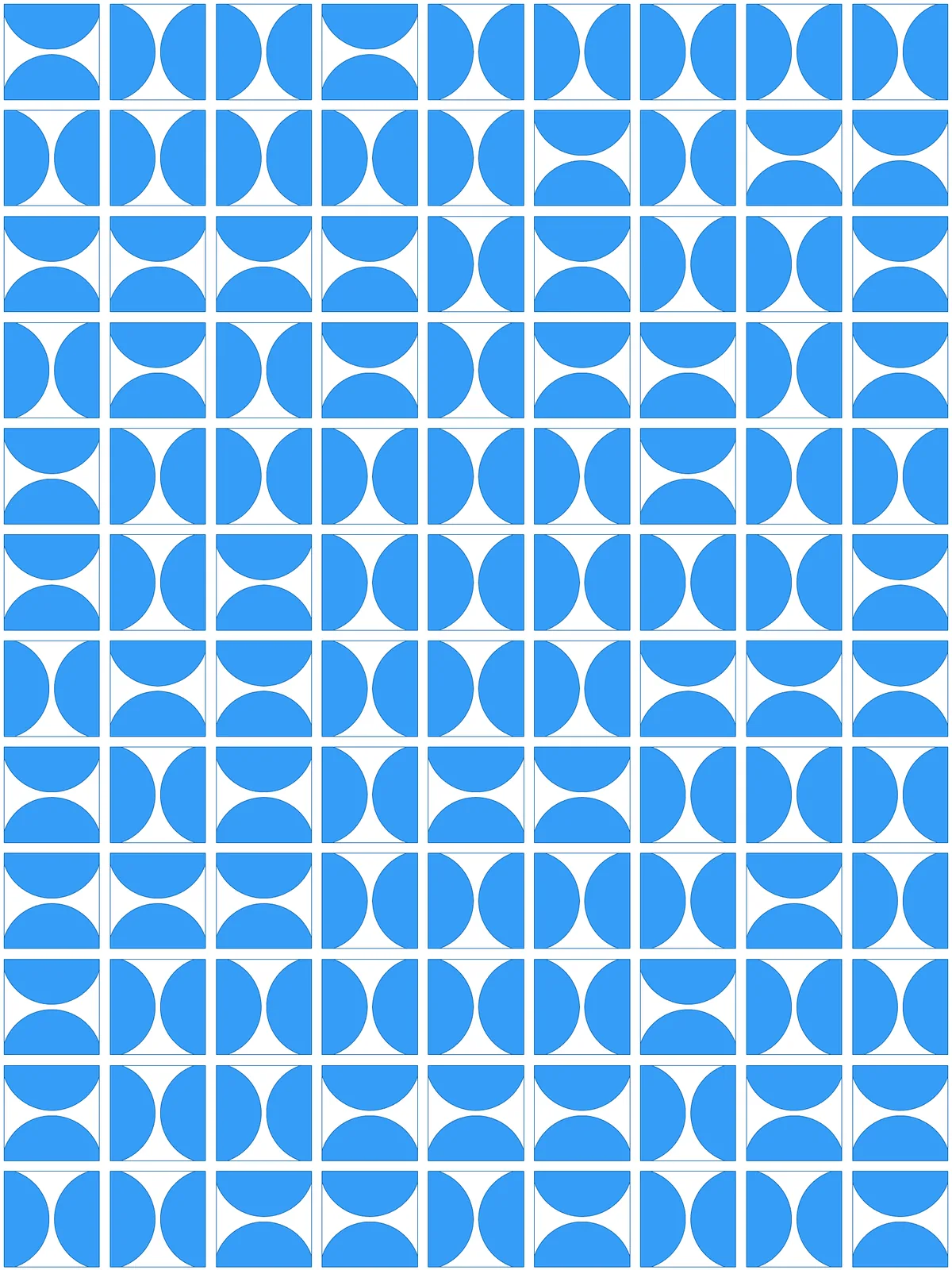
Also try: change the seed of the Random component to get a different arrangement of half circles.
Notes
- Each tile gets two half circles facing each other. They sit on two opposite sides of the tile, and the script picks at random which pair of sides. Where two neighbouring tiles both use their shared side, the two halves read as one full circle split by a thin gap.
- Keep the tiles square for an even look. The circle size follows the shorter side, so in long tiles the half circles on the short sides sit far apart. Set Columns and Rows in proportion to your surface.
- The gap between neighbours is twice Edge offset. Every tile is shrunk by that amount on all sides, so where two half circles meet across a shared side, both are pulled back from it.
Design Logic
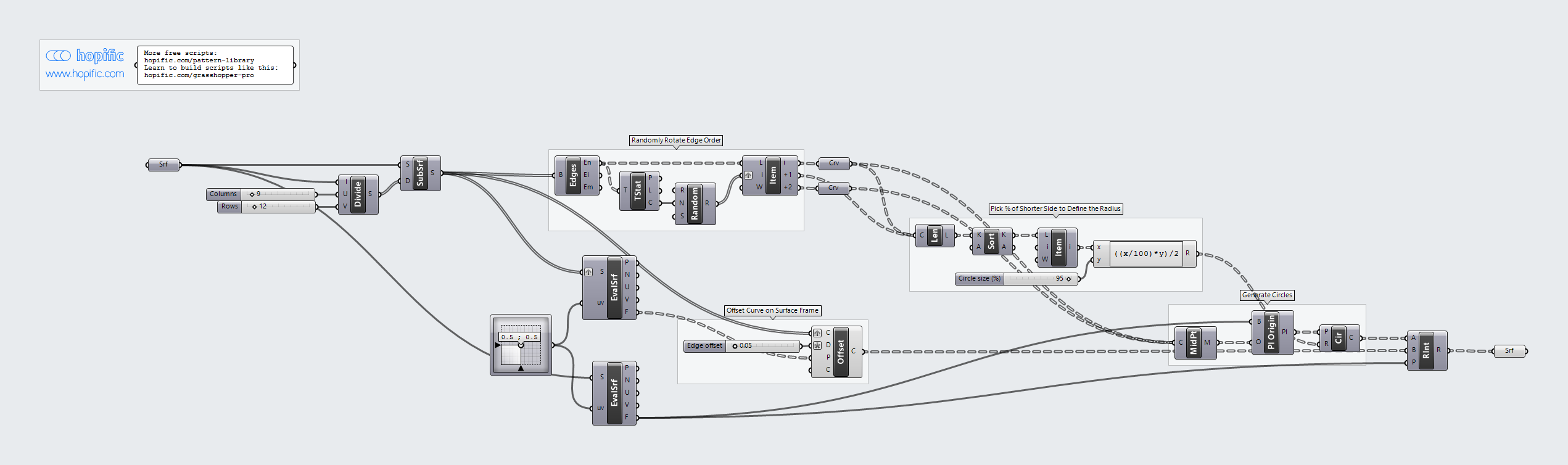
How the script builds the pattern, step by step.
| Step | How the script does it |
|---|---|
| 1. Split the surface into tiles | Divide Domain² and Isotrim cut the surface into a grid of small rectangles. |
| 2. Pick two opposite sides of each tile at random | Brep Edges takes the four sides of each tile. Tree Statistics and Random make one random number per tile, and List Item uses it to pick a side and the side opposite it. |
| 3. Size the circles | Length, Sort List and List Item find the shorter side of each tile. An Expression takes Circle size (%) of it and halves it to get the radius. |
| 4. Draw a circle on each chosen side | Curve Middle finds the middle of both chosen sides. Evaluate Surface and an MD Slider get the plane of the surface, Plane Origin moves it to each middle point, and Circle draws a circle there. |
| 5. Shrink each tile | Evaluate Surface gets the plane of each tile and Offset Curve offsets the tile’s outline inward by Edge offset. |
| 6. Cut the half circles | Region Intersection keeps the part of each circle that falls inside its shrunk tile. Since the circle sits on the tile’s side, that part is a half circle. |
Want to learn how to build scripts like this on your own? Check out the Grasshopper Pro course.