
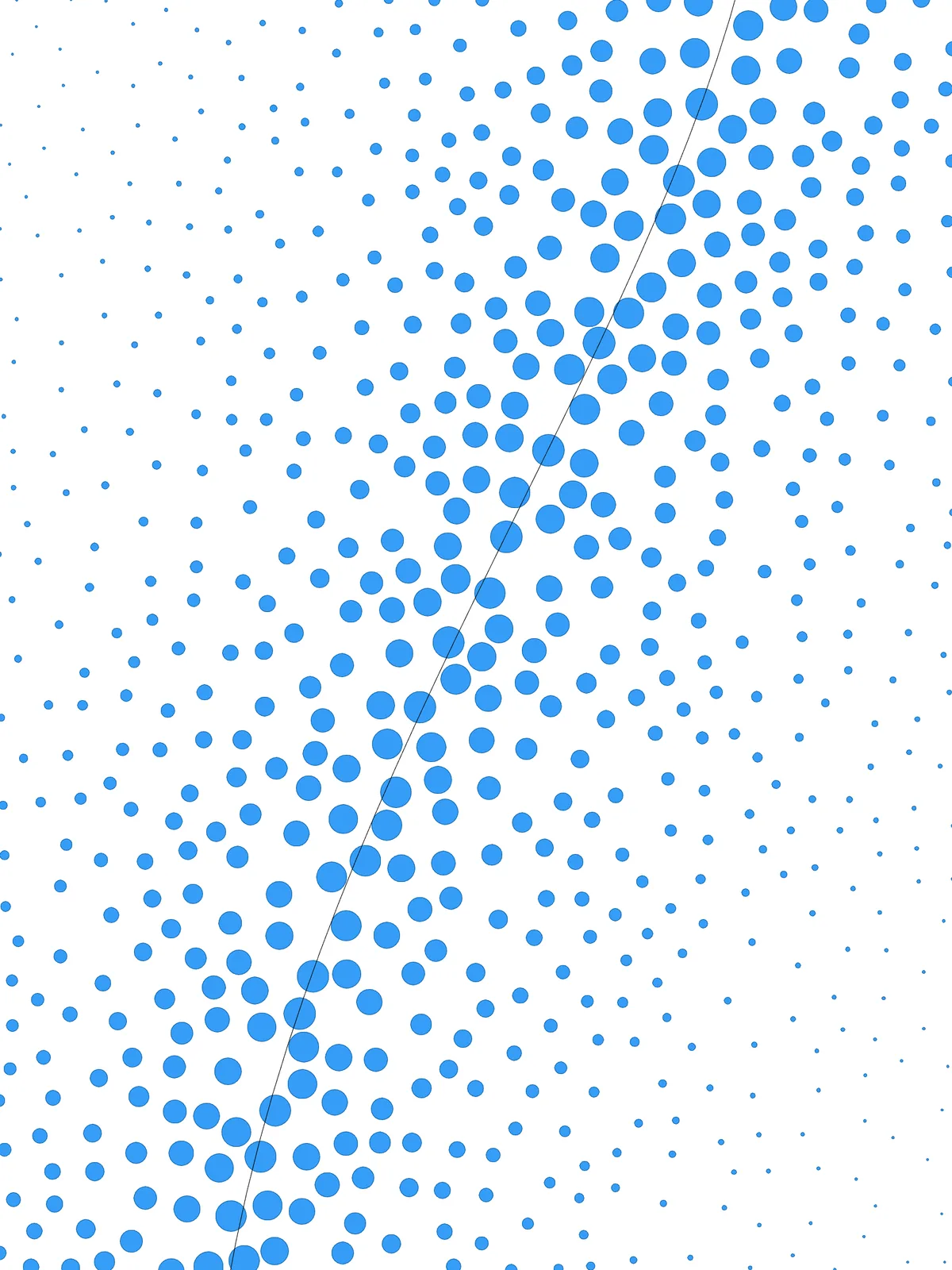
Inputs
Reference in Rhino
Surfaceinput Srf
The surface the bubbles are scattered over. It must be a planar (flat) surface.
Reference in Rhino
Curveinput Crv
The line the bubbles gather along. Bubbles are largest on the curve and shrink away from it.
Main Sliders
| Slider | What it changes | Default |
|---|---|---|
| Number of points | How many bubbles are scattered over the surface. More points means smaller, denser bubbles. | 1000 |
| Bubble Scale | The size of the largest bubbles, as a share of the spacing between points. Around 0.5, bubbles on the curve just touch. | 0.45 |
| Smallest radius | The size of the bubbles furthest from the curve. | 0.01 |
Also try: reshape the Graph Mapper to change how quickly the bubbles shrink, or change the seed of Populate 2D for a different random arrangement.
Notes
- Keep Bubble Scale at 0.5 or below if the bubbles must not overlap, for example when you laser-cut them as holes.
- For a perforated panel, bake the circles as cut lines and set the smallest radius to what your fabricator can cut.
- To gather the bubbles around a point instead of a line, replace
Curve Closest PointwithDistanceto that point.
Design Logic
How the script builds the pattern. The groups on the canvas follow the same order.
| Step | How the script does it |
|---|---|
| 1. Scatter points over the surface | Populate 2D spreads points evenly but randomly across the surface. Each point becomes the centre of a bubble. |
| 2. Work out the largest bubble size | Closest Points finds each point’s nearest neighbours and Average gives the typical spacing. Multiplication scales it by Bubble Scale, so the biggest bubbles fit between their neighbours. |
| 3. Measure each point’s distance to your curve | Curve Closest Point measures the distance. Bounds and Remap Numbers turn the distances into values from 0 to 1. |
| 4. Turn distance into bubble size | A Graph Mapper shapes the gradient and Remap Numbers maps it from the largest size (on the curve) down to the smallest (far away). |
| 5. Draw the bubbles | Circle CNR draws a circle at each point, facing the surface’s normal from Evaluate Surface, with the radius from step 4. |
Want to learn how to build scripts like this on your own? Check out the Grasshopper Pro course.