
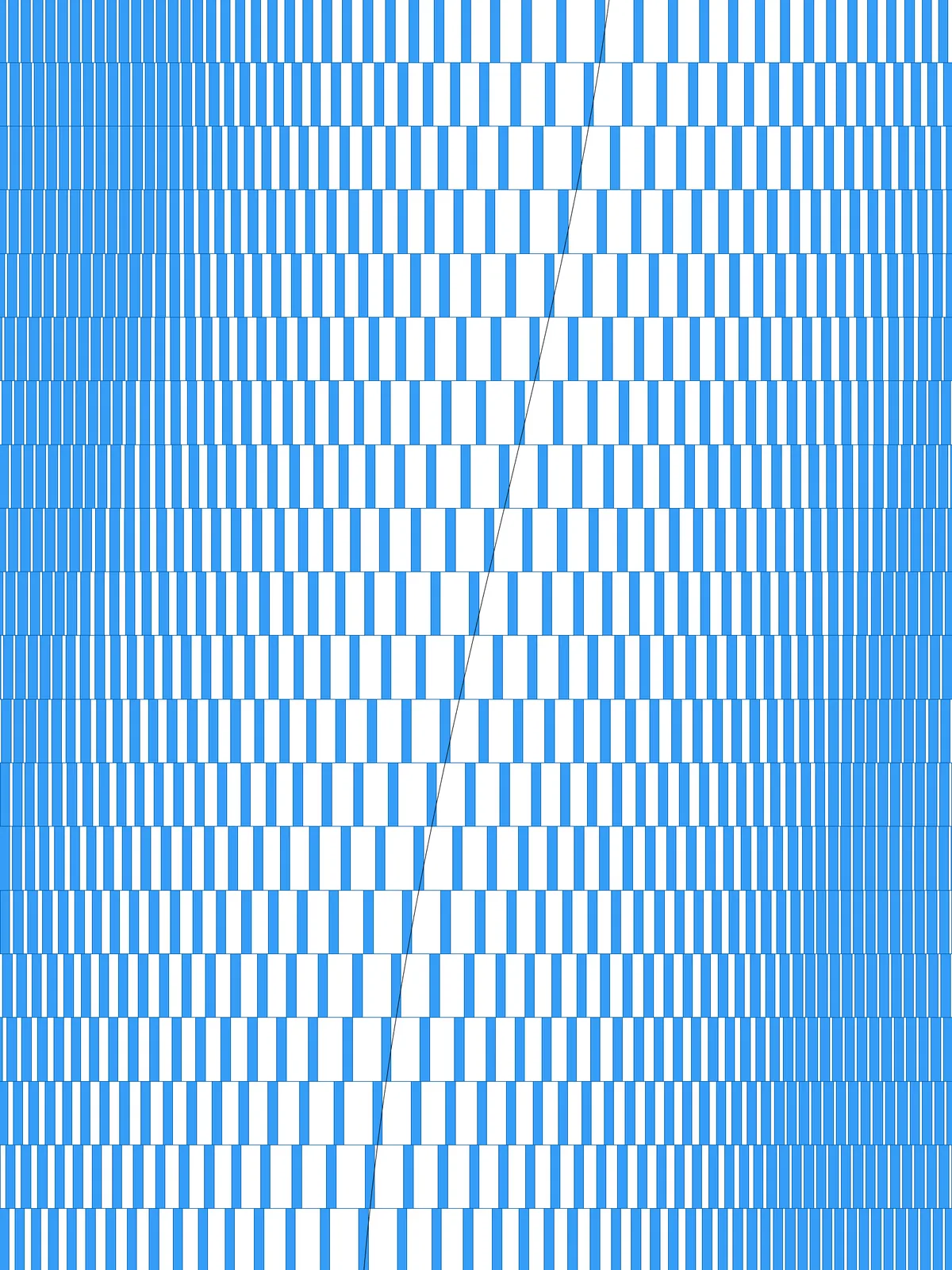
Inputs
Reference in Rhino
Surfaceinput Srf
The surface the pattern is built on. It must be a planar (flat) surface.
Reference in Rhino
Curveinput Crv
The line the bulge follows. It should cross the whole surface, in the direction of the sticks.
Main Sliders
| Slider | What it changes | Default |
|---|---|---|
| Divisions U / V | The number of rows of sticks. More rows means shorter sticks. | 1 / 20 |
| Sticks Density | How many sticks are packed into the bulge on each side of the curve. | 19 |
| Attractor Range | How far the bulge reaches along each row, on both sides of the curve, as a share of the row length. | 0.42 |
| Rectangle Width | The width of every stick. It stays the same everywhere; only the spacing changes. | 0.09 |
Also try: reshape the two Graph Mapper components to make the bulge sharper or softer.
Notes
- Let the curve cross the whole surface, in the same direction as the sticks. A row the curve doesn’t cross won’t get a bulge.
- The sticks never get thicker. Every stick has the same width; the bulge comes from the spacing alone.
- Any curve shape works as long as it crosses each row once. A straight diagonal gives a clean bulge; a wavy curve makes it meander.
- Balance Sticks Density and Rectangle Width. With a high density and wide sticks, the sticks near the curve merge into a solid band.
Design Logic
How the script builds the pattern. The groups on the canvas follow the same order.
| Step | How the script does it |
|---|---|
| 1. Split the surface into rows | Divide Surface makes a grid of points. Flip Matrix and Nurbs Curve join them into one curve per row, and Extend Curve lets each row run slightly past the edge. |
| 2. Find where each row crosses your curve | Curve | Curve returns the position of the crossing along each row. That’s the centre of the bulge. |
| 3. Pack the sticks toward the crossing | Range creates evenly spaced values. Construct Domain and Remap Numbers fit them into the stretch just before and just after the crossing, and a Graph Mapper on each side bends the spacing so the sticks crowd toward the curve. |
| 4. Keep an even rhythm elsewhere | Sub Curve takes the rest of each row, where the sticks stay evenly spaced. |
| 5. Turn the values into positions | Evaluate Curve places a point at every value. Includes and Cull Pattern remove any that fall outside their stretch. |
| 6. Draw the sticks | Line SDL draws a line from each point in the direction of the sticks. Extrude with Amplitude gives it its width, and Move centres it on the point. |
| 7. Trim to the surface | Region Intersection keeps only what falls inside the surface. |
Want to learn how to build scripts like this on your own? Check out the Grasshopper Pro course.