
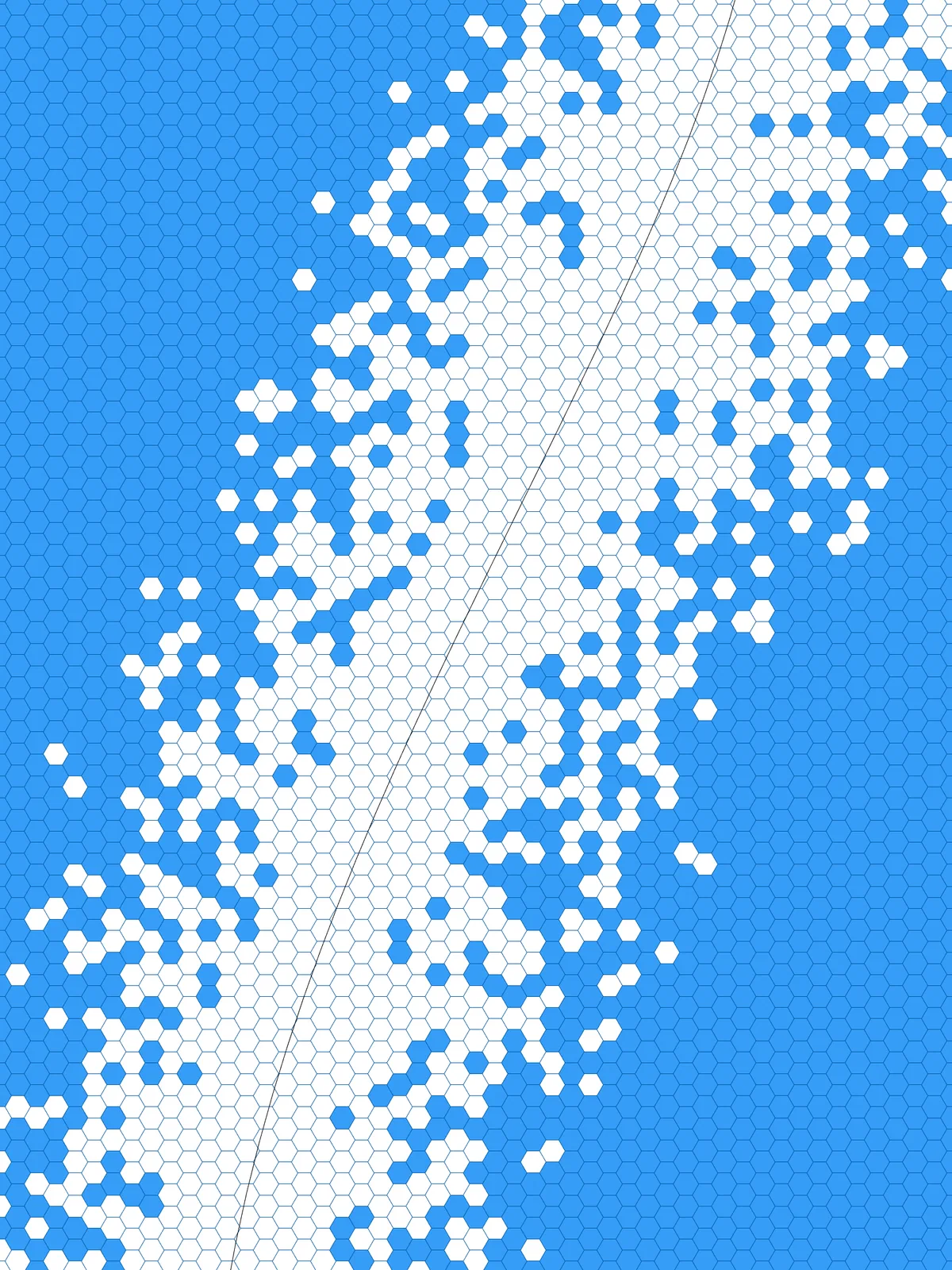
Inputs
Reference in Rhino
Surface
The surface the hexagon grid covers. It must be a planar (flat) surface.
Curve
The line the removed hexagons gather along. Hexagons close to it are removed first. Draw it in the plane of the surface.
Main Sliders
Also try: change the seed (S) of Jitter for a different random edge with the same settings.
Notes
- The grid isn’t trimmed to your surface. It’s built slightly larger so it covers the whole surface, so hexagons along the edges stick out past it. Trim them in Rhino if you need a clean edge.
- The removed hexagons are still there as outlines. The kept hexagons come out as surfaces, and the
Cull Indexat the end holds the outlines of the removed ones, so you get both sets of shapes.
Design Logic
How the script builds the pattern, step by step.
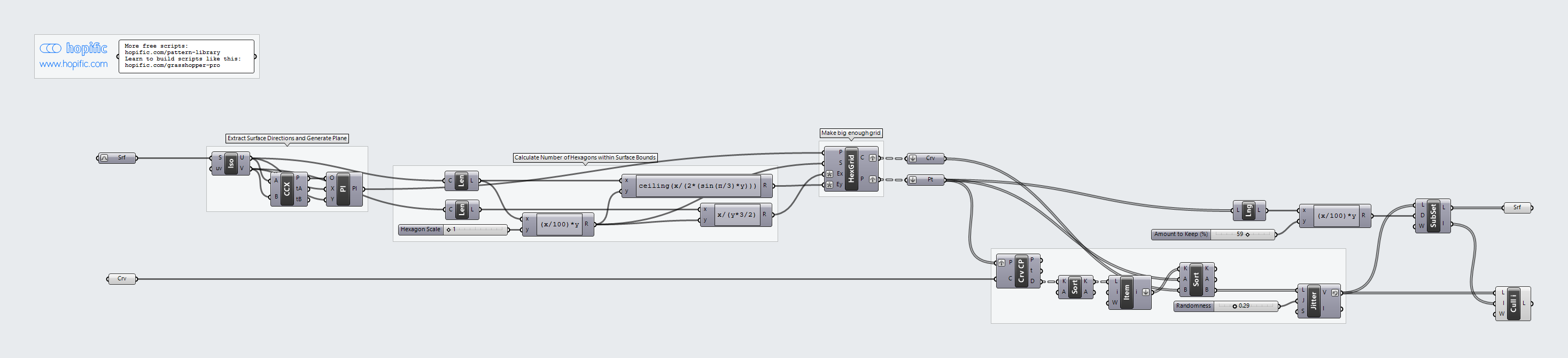
| Step | How the script does it |
|---|---|
| 1. Set up a plane at the corner of the surface | Iso Curve takes the two edges that meet at one corner, Curve | Curve finds the corner point, and Construct Plane builds a plane there aligned with the edges. |
| 2. Work out the size and number of hexagons | Length measures both edges. One Expression turns Hexagon Scale into a hexagon size, and two more work out how many hexagons are needed in each direction to cover the surface. |
| 3. Cover the surface with hexagons | Hexagonal draws the grid on the plane, with one extra row and column so nothing is left uncovered. |
| 4. Sort the hexagons by distance to your curve | Curve Closest Point measures how far each hexagon’s centre is from the curve. Sort List puts the hexagons in order, nearest first. |
| 5. Shuffle the order a little | Jitter moves each hexagon a random distance up or down the sorted list, by up to the Randomness setting. Its output is reversed, so the furthest hexagons come first. |
| 6. Keep the furthest hexagons | List Length and an Expression turn Amount to Keep (%) into a number of hexagons. Sub List takes that many from the start of the list and a Surface parameter turns them into surfaces. Cull Index collects the outlines of the rest: the removed hexagons. |
Want to learn how to build scripts like this on your own? Check out the Grasshopper Pro course.