
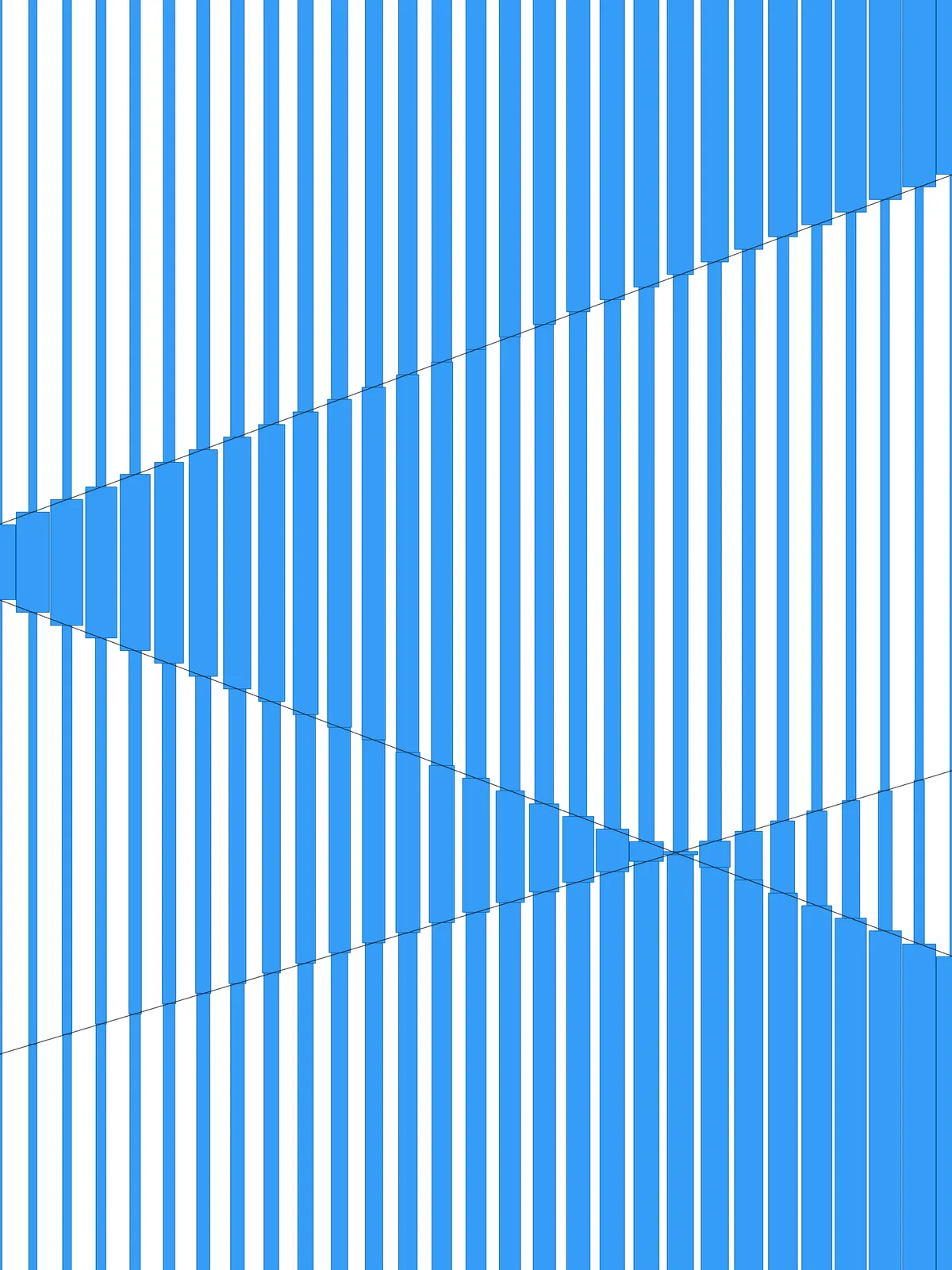
Inputs
Reference in Rhino
Surface
The surface the bars are built on. It must be a planar (flat) surface.
Curve
One or more curves that split the surface into zones. They must lie on the surface, reach all the way across it and run across the bars.
Main Sliders
Also try: bypass the Reverse List. Every zone then fades in the same direction, which shows clearly what the flip adds.
Notes
- Let every curve cross the whole surface, across the bars, and keep it on the surface. A curve that stops short won’t split the surface into separate zones.
- The shape of the zones comes from your curves. Diagonal lines that cross or meet at the edges give triangular zones; parallel lines give straight bands. In each zone the bars go from thin on one side to full on the other, and every second zone runs the other way.
- The widest bars touch their neighbours. Their width equals the gap between bars, so one side of every zone closes up into a solid area.
Design Logic
How the script builds the pattern, step by step.

| Step | How the script does it |
|---|---|
| 1. Draw the bar lines | Divide Surface makes rows of points across the surface, and Nurbs Curve joins each row into a straight line. Each line becomes the centre of one bar. |
| 2. Measure the surface | List Item, Flip Matrix and Line draw three reference lines: the first bar line, an edge across the bars, and the short step between two bars. Length measures that step: the gap between bars. |
| 3. Split the surface into zones and put them in order | Surface Split cuts the surface along your curves. Area finds the centre of each zone, Curve Closest Point measures its distance to the edge across the bars, and Sort List orders the zones from that edge. |
| 4. Cut the bars where the curves cross them | Multiple Curves finds every crossing. Curve Closest Point and an Expression check which crossings lie on each bar line, Cull Pattern keeps those, and Shatter cuts the line there. |
| 5. Sort the pieces into their zones | Curve Middle finds the middle of each piece, Point In Curve tests which zone it falls in, and Cull Pattern keeps one list of pieces per zone. |
| 6. Make a width gradient in each zone | Explode, Curve Middle, Curve Closest Point, Sort List and List Item find the side of each zone nearest the first bar line. A second Curve Closest Point measures each piece’s distance to that side. Bounds, an Expression, Construct Domain and Remap Numbers turn the distances into widths, from Minimum width (%) of the gap up to the full gap. |
| 7. Flip every second zone | Tree Statistics, Dispatch and Tree Branch pick every other zone, and Reverse List reverses its widths, so neighbouring zones fade in opposite directions. |
| 8. Draw the bars | Evaluate Surface gives the plane of the surface. Two Offset Curve components move each piece by half its width to either side, End Points and Line close the ends, and Join Curves joins them into an outline that becomes a flat surface. |
Want to learn how to build scripts like this on your own? Check out the Grasshopper Pro course.