
Inputs
Reference in Rhino
Surface
The surface the scales are built on. It must be a planar (flat) surface.
Curve
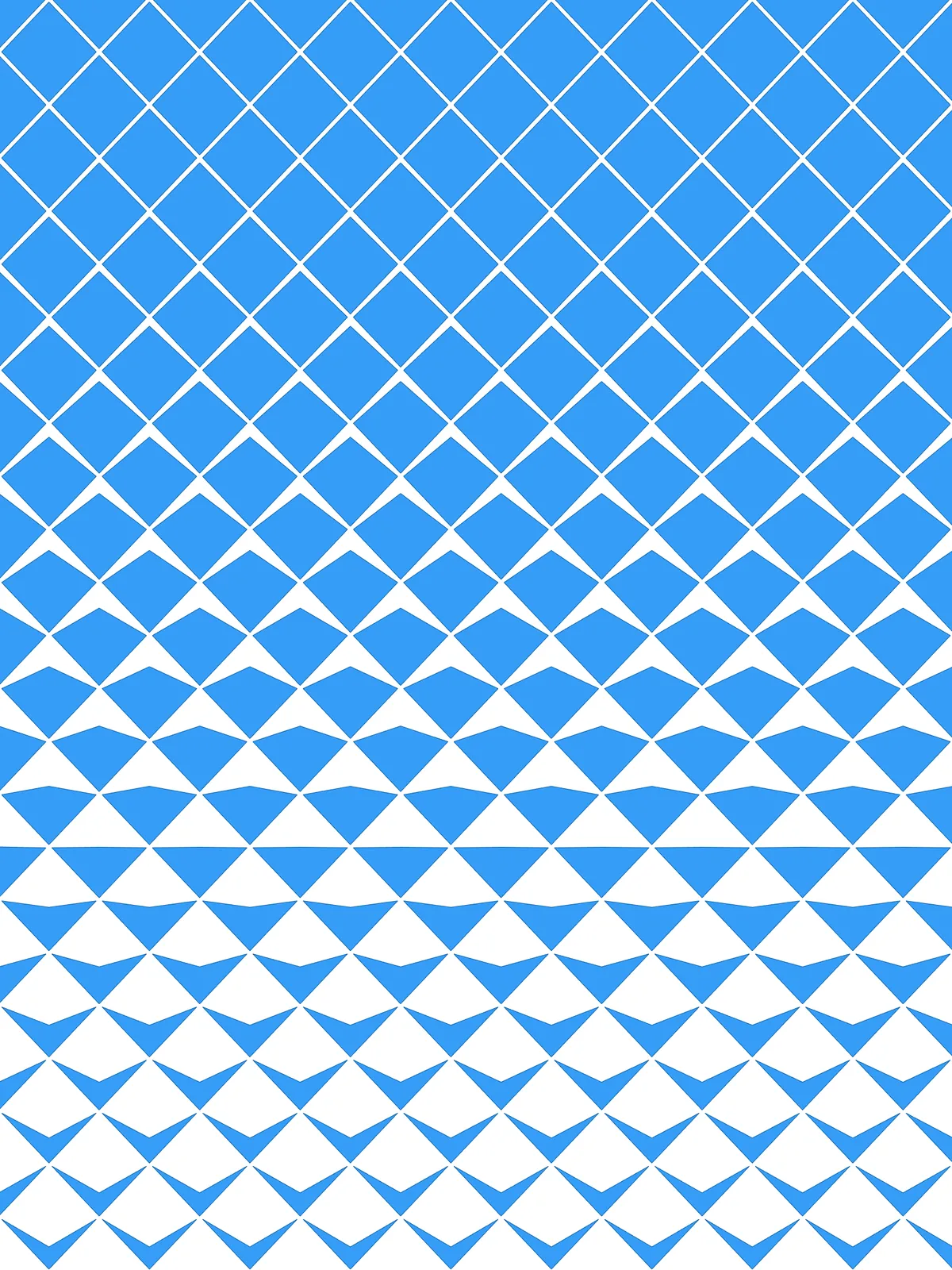
The attractor. Scales close to it open up the most; scales far from it stay full diamonds. Running it along one edge gives a gradient across the whole surface.
Main Sliders
Also try: reshape the Graph Mapper to change how quickly the scales close up as you move away from the curve.
Notes
- Set Max Opening to 0.5 to stop at triangles. At the default 0.78 the corner passes the middle of the diamond, so the scales nearest the curve become arrowheads.
- Gap is a real distance, not a share of the diamond. Scale it to the size of your surface: too small and the scales almost touch, too large and they shrink to nothing.
- The diamonds along the edges are cut off. The script trims every scale to the surface, so the border scales are halves or quarters.
Design Logic
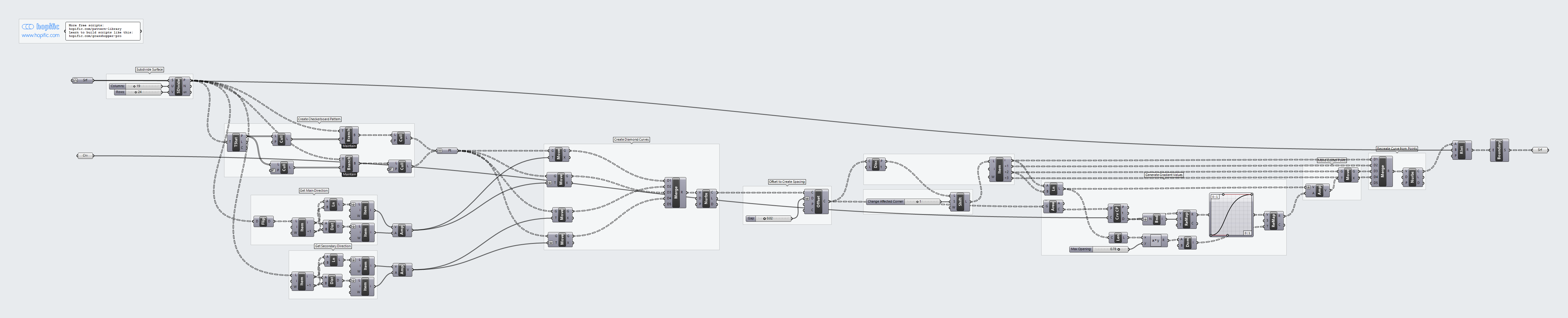
How the script builds the pattern, step by step.
| Step | How the script does it |
|---|---|
| 1. Make a grid of points | Divide Surface places a grid of points on the surface, Columns across and Rows along. |
| 2. Keep a checkerboard of points | Tree Statistics, Cull Pattern and Tree Branch split the columns into even and odd ones. A second pair of Cull Pattern components keeps every other point, shifted in every other column. Each point becomes the centre of a diamond. |
| 3. Measure the grid spacing | Flip Matrix, List Item, Line and Distance find the direction and spacing of the grid both ways. Amplitude turns them into two vectors one grid step long. |
| 4. Draw the diamonds | Four Move components copy each centre one step up, down, left and right. Merge and Nurbs Curve join the four points into a closed diamond. Because the centres are staggered, the diamonds fit together without gaps. |
| 5. Open up the joints | Offset Curve shrinks each diamond inward by Gap. |
| 6. Pick the corner to move | Discontinuity finds the four corners, Shift List rotates the list by Change Affected Corner, and List Item picks them in order. Line joins the moving corner to the opposite one. |
| 7. Turn distance to your curve into a push | Area finds each diamond’s centre and Curve Closest Point measures its distance to the curve. Bounds and Remap Numbers turn it into a value from 0 to 1, a Graph Mapper shapes it, and Remap Numbers maps it from the maximum push (near) to 0 (far). The maximum is the diagonal’s Length times Max Opening. |
| 8. Move the corner and rebuild the scale | Amplitude and Move push the corner along the diagonal by that amount. Merge and Nurbs Curve redraw the scale, Region Intersection trims it to the surface and Boundary Surfaces fills it in. |
Want to learn how to build scripts like this on your own? Check out the Grasshopper Pro course.