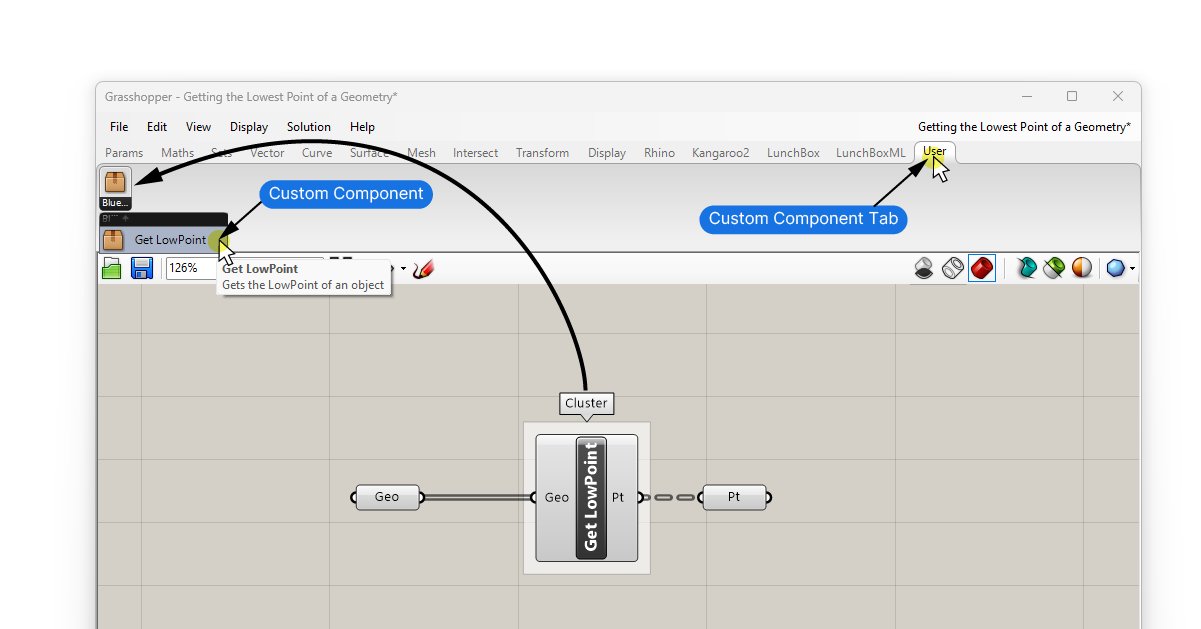
Clusters allow you to compress frequently used script sequences into custom components. But a Cluster’s scope is limited to a single Grasshopper script. That means that if you want to re-use a Cluster in another file, you have to copy-and-paste it over.
To avoid the copy-and-pasting, and to collect your frequently used Clusters in the component tab just like native components, Grasshopper let’s us create so-called ‘User Objects’.
With User Objects you can create an entire collection of custom components to speed up your workflow.
Here’s how to turn a Grasshopper Cluster into a User Object:
The first step is to create a component Cluster. You can read more about how to create Clusters here. In short, create a short script as you normally would, then connect a ‘Cluster Input‘ and ‘Cluster Output‘ component to either end. These will become the inputs and outputs of the new custom component.
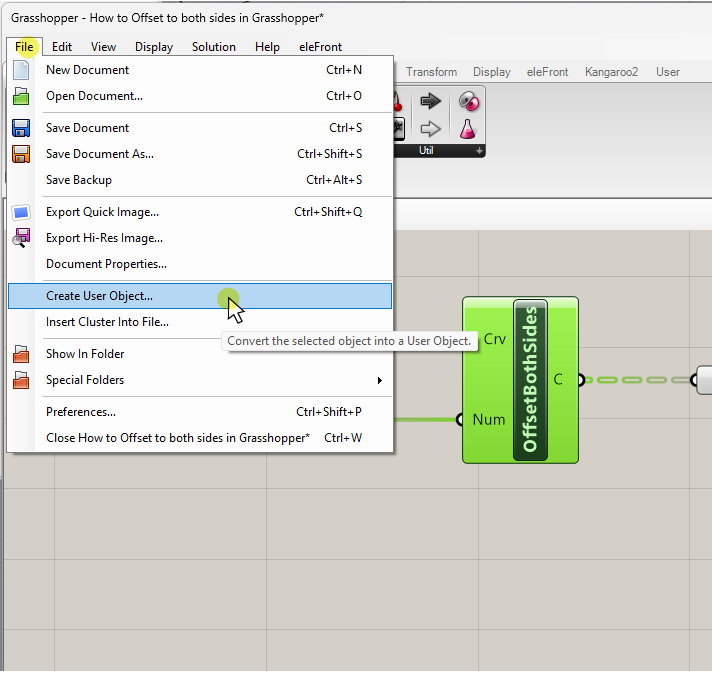
To turn the cluster into a re-useable User Object:
- Select the Cluster component (only select the single component)
- Go to File / Create User Object…
In the menu that pops up, we can change the name of the custom component, add a description and even define an icon.
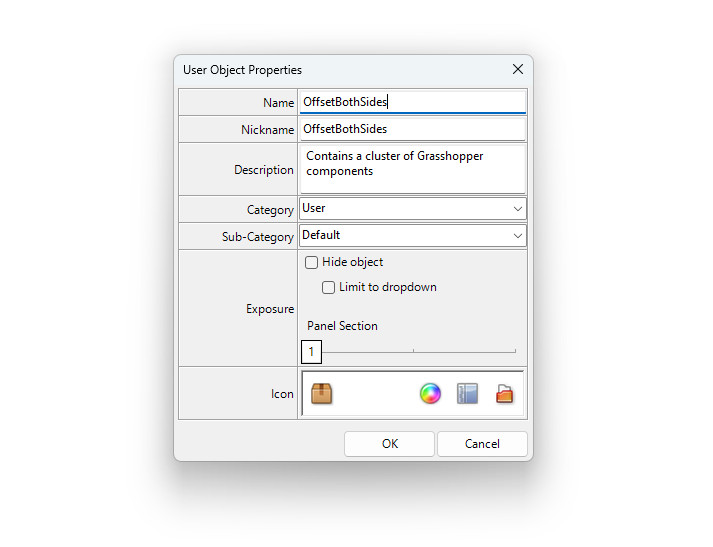
Under “Category“, define under which component tab to save the component. To keeps things clean, create a new category for your User Objects.
By default Grasshopper suggests to call it “User“. This is the name of the component tab that will be created once you confirm. Your User Object will be saved here.
Once you confirm with ‘OK’, the custom component will be saved in a new component tab, called ‘User’ if you left the default name.
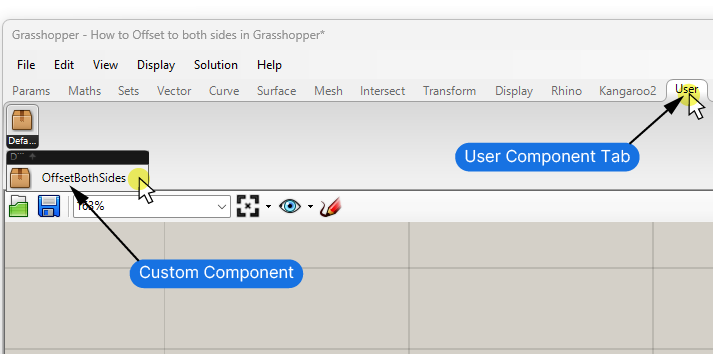
The component will live in the User tab from now on, even if you close the original Grasshopper file!
Your User Object will now also appear in the component search bar if you type its name!
Creating a User Object takes a few more extra steps, but it can significantly boost your workflow once you know how to create them. Any Grasshopper user has certain component sequences that they use over and over again – a custom Cluster saved as User Object can save you a lot of time!
I hope this guide inspired you to a custom component of your own!
Happy designing!