
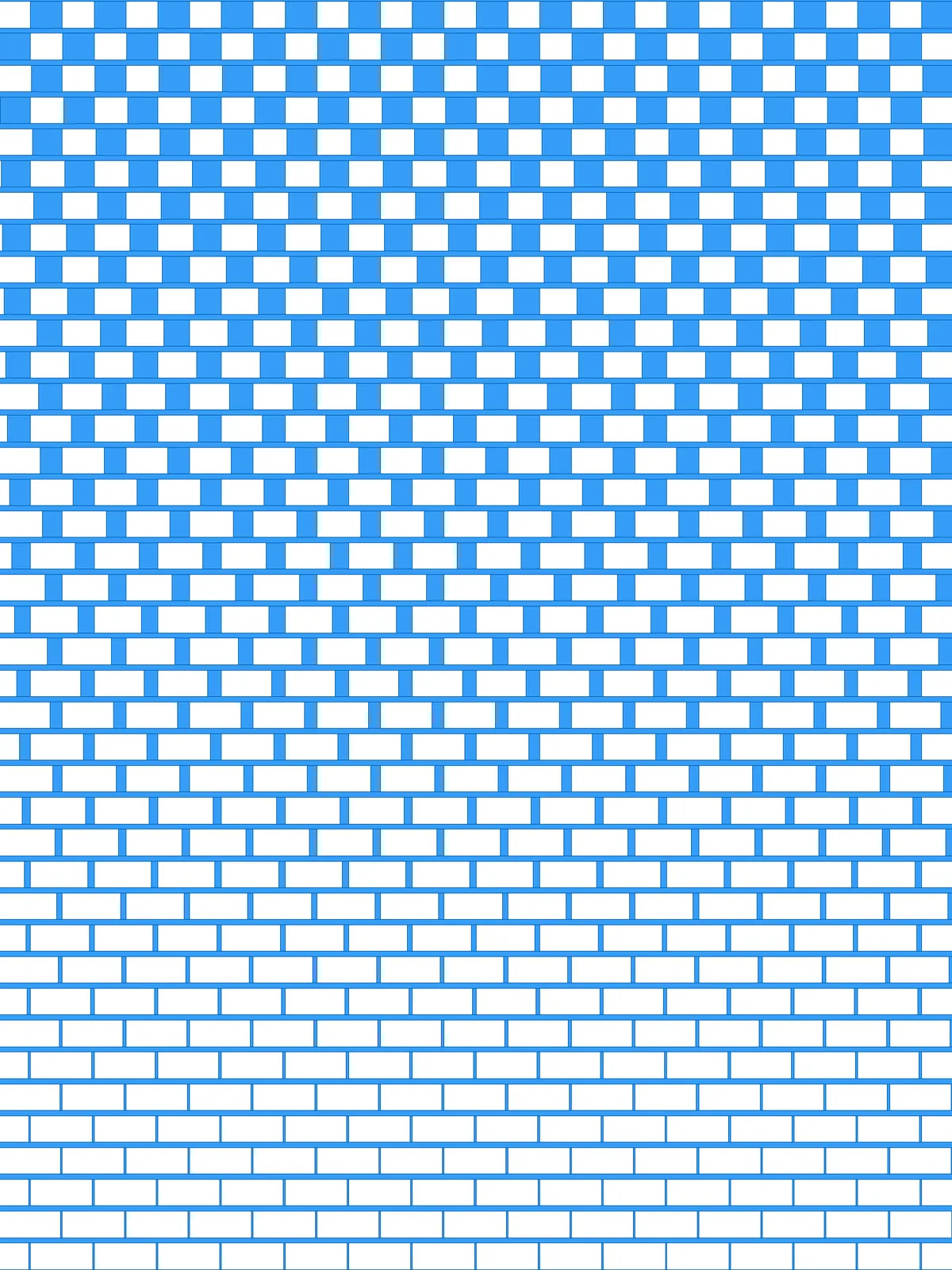
Inputs
Reference in Rhino
Surfaceinput Srf
The surface the pattern is built on. It must be a planar (flat) surface.
Reference in Rhino
Curveinput Crv
The attractor. Bricks close to it shrink; bricks far from it stay full height. It can run along an edge or through the middle.
Main Sliders
| Slider | What it changes | Default |
|---|---|---|
| Divisions U / V | The number of cells across and down the surface, which sets the size of the bricks. | 30 / 40 |
| Width in % | The height of the horizontal bars, as a percentage of the row height. | 17 |
| min scale | The height of the bricks closest to the curve. At 0 they disappear. | 0.05 |
| max scale | The height of the bricks furthest from the curve. At 1 they fill their cell. | 1 |
Also try: reshape the Graph Mapper to change how quickly the bricks grow as you move away from the curve.
Notes
- Swap min scale and max scale to reverse the effect: bricks grow toward the curve instead of shrinking.
- Keep the divisions in proportion to your surface. For a wide panel, use more divisions across than down, so the bricks keep a brick-like shape.
- For a perforated brick wall, bake the result and treat the bricks and bars as solid and the space between them as openings, or the other way round.
Design Logic
How the script builds the pattern. The groups on the canvas follow the same order.
| Step | How the script does it |
|---|---|
| 1. Split the surface into cells | Divide Domain² and Isotrim cut the surface into a grid of small rectangles. |
| 2. Pick every other cell | Partition List groups the cells by row. Tree Statistics, Tree Branch and Dispatch keep alternating cells, shifted on every other row, so you get a checkerboard of bricks. |
| 3. Add the horizontal bars | Divide Surface, Flip Matrix and Nurbs Curve draw a line through each row. Offset Curve moves it up and down by a share of the row height, and the space between the two offsets becomes a bar. |
| 4. Measure each brick’s distance to your curve | Curve Middle finds the centre of each brick and Curve Closest Point measures how far it is from the curve. Bounds and Remap Numbers turn those distances into values from 0 to 1. |
| 5. Scale the bricks in height | A Graph Mapper shapes the gradient and Remap Numbers maps it between min scale and max scale. Scale NU then scales each brick vertically from its centre: flat near the curve, full height far from it. |
| 6. Combine bricks and bars | Region Intersection joins the scaled bricks with the bars into the final pattern. |
Want to learn how to build scripts like this on your own? Check out the Grasshopper Pro course.